When it comes to safeguarding your digital infrastructure, ThreatLocker has become a buzzword in the cybersecurity industry. Designed with endpoint protection in mind, it aims to help businesses defend against modern-day threats, including ransomware, hacking, and unauthorized software execution. As someone who’s worked closely with SMBs and IT administrators, I’ve seen firsthand how challenging it is to manage device-level security. This review explores its practical application, key strengths, and how it compares to competitors in the cybersecurity landscape.
Overview
ThreatLocker offers a zero-trust endpoint protection platform tailored for businesses of all sizes, from small teams to large enterprises. Instead of assuming applications are safe by default, it requires explicit permission before anything can run. This approach significantly reduces the attack surface on each device. It’s designed to fit into real-world business environments without constant disruption.
What makes ThreatLocker stand out is its real-time application whitelisting, ringfencing of applications, and highly granular policy control. Administrators can decide exactly which software is allowed and what it can access, down to files, networks, and system resources. Ringfencing keeps approved applications from overstepping their boundaries, even if they are compromised. The result is tighter control without sacrificing usability.
This is not your typical antivirus that reacts after malware is detected. ThreatLocker is a proactive system aimed at stopping threats before they even begin. By blocking unknown or unauthorized activity by default, it prevents ransomware, zero-day attacks, and insider misuse. For organizations that want certainty rather than cleanup, this model offers a clear advantage.
Key Features:
- Application Allowlisting: Only approved apps can run, everything else is denied by default.
- Ringfencing: Controls how applications interact with the system and with each other.
- Storage Control: Limits access to USB drives and external devices.
- Network Control: Restricts which network resources applications can access.
- Elevation Control: Prevents unauthorized admin privilege escalation.
In-Depth Analysis of ThreatLocker
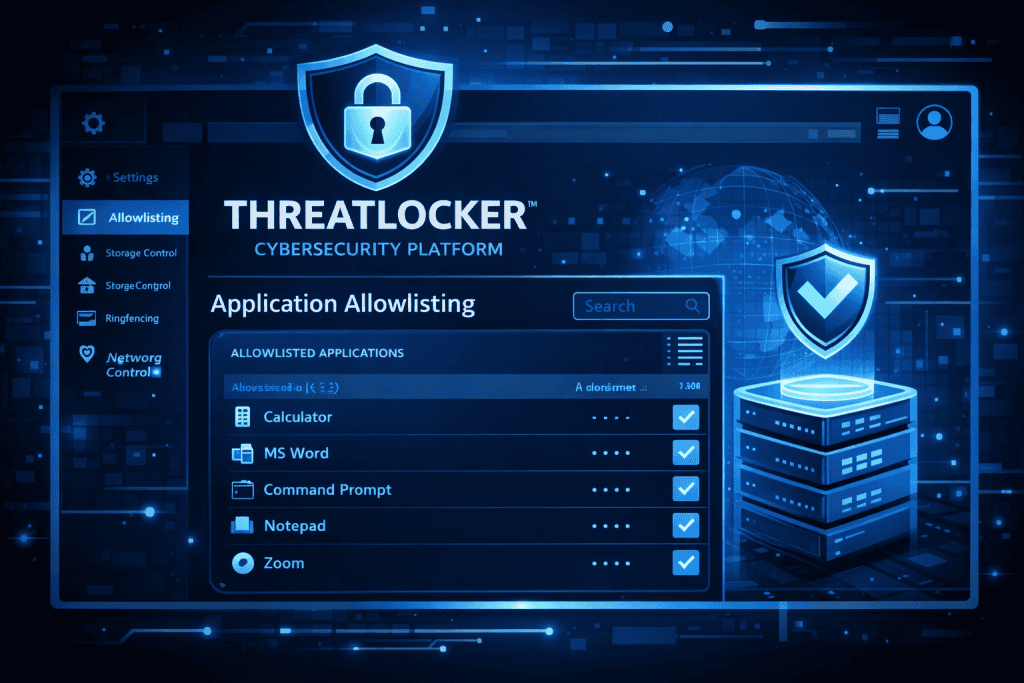
It has earned a spot among the top endpoint protection tools for a reason. But does it truly deliver?
Design and Interface
The dashboard is modern and intuitive. You’re not digging through endless menus. Instead, policies are displayed clearly, with smart automation that helps even non-techies navigate through setups quickly.
Functionality and Features
ThreatLocker’s strength lies in its proactive design. You’re not just scanning files; you’re enforcing strict policies that preempt bad behavior. This approach is ideal for businesses managing multiple endpoints.
- Application Control: Traditional antivirus tools often fail here. It stops any unapproved executable from launching, making ransomware prevention dramatically more effective.
- Storage Control: It’s alarming how many breaches stem from a rogue USB drive. It lets you block, approve, or monitor every external device inserted into a machine.
- Elevation Control: Admin rights are gold to hackers. It adds a request layer where elevation is time-bound and logged for auditing.
Usability
Initial setup may feel technical, but the support team is incredibly responsive. Plus, they provide guided onboarding and helpful documentation. Policy creation becomes second nature once you’ve deployed a few.
Real-World Performance
I worked with a small financial firm that struggled with frequent malware incidents despite having traditional antivirus software in place. Even routine updates and employee downloads often triggered security alerts or led to downtime. The constant cleanup was draining time and resources.
After switching to ThreatLocker, their incidents dropped to zero in the first quarter. This wasn’t due to better detection, but because no unauthorized applications could launch at all. Threats were blocked before they had any chance to execute.
The zero-trust model delivered peace of mind like never before. Staff could work without interruptions, and IT no longer had to react to emergencies. Security shifted from damage control to confident prevention.
ThreatLocker Comparison
Let’s compare ThreatLocker with some of its leading competitors in the cybersecurity market.
| Feature | ThreatLocker | AppLocker (Microsoft) | Symantec Endpoint Protection | SentinelOne |
|---|---|---|---|---|
| Application Whitelisting | Advanced | Basic | No | Limited |
| Ringfencing | Yes | No | No | Partial |
| USB & Storage Control | Full Control | Group Policy Dependent | Yes | Yes |
| Elevation Control | Built-in | No | Limited | Yes |
| Support | Outstanding | Limited | Varies by plan | Premium support |
| Pricing | Mid-range | Free with Windows Pro | Enterprise-tier pricing | Higher |
ThreatLocker is built for proactive protection, whereas many others react to threats. That’s a big distinction in today’s threat environment.
Pros and Cons
Before you make your decision, consider the strengths and weaknesses of ThreatLocker:
| Pros | Cons |
|---|---|
| Robust zero-trust architecture | Requires initial setup and training |
| Real-time application control | May block legitimate apps if not configured properly |
| Excellent customer support | Pricing may not suit very small businesses |
| Granular control over devices and storage | Slight learning curve for non-technical users |
Conclusion
ThreatLocker has carved a niche as a proactive cybersecurity powerhouse in an industry crowded with reactive tools. Its zero-trust approach means you no longer have to react after the damage is done, because unknown or unapproved activity is blocked by default. This fundamentally changes how endpoints are protected, shifting security from response to prevention. Businesses gain tighter control over what runs in their environment without relying on constant signature updates. The result is a stronger and more predictable security posture.
It’s a strong fit for companies that want layered, smart, and highly customizable endpoint protection. Administrators can fine-tune policies to match real business workflows instead of forcing users to work around security. That flexibility makes it practical for both growing teams and mature organizations. If you’re serious about shielding your environment from modern cyber threats, it should be on your shortlist. ThreatLocker delivers control and confidence that traditional tools struggle to provide.
Rating
I’ve tested various tools in my career, but ThreatLocker stands tall with its balance of functionality and foresight.
Rating: 4.7 out of 5 stars
FAQ
What makes ThreatLocker different in the cybersecurity market?
ThreatLocker is unique because it doesn’t rely on signature-based detection. Instead, it uses application allowlisting, ringfencing, and zero-trust controls to stop attacks proactively before they can cause damage.
Is ThreatLocker suitable for small businesses in cybersecurity?
Yes, especially those with limited IT resources. Its automation fatures and support services simplify management, making cybersecurity approachable even for small teams.
How does ThreatLocker protect against hacking and deepfakes?
ThreatLocker blocks unauthorized software from executing, which is critical in stopping malware-driven attacks and scripts that could facilitate deepfakes or advanced hacking attempts.
Resources
- G2. ThreatLocker Reviews
- Gartner. ThreatLocker Product Insights
- TechRadar. ThreatLocker Review
- ThreatLocker. Why ThreatLocker
- TrustRadius. ThreatLocker Feedback