
In the ever-evolving world of technological trends, one phenomenon has risen like a rocket: live streaming. And when it comes to live streaming, Twitch is the undeniable king of the hill. So, if you’ve ever found yourself Googling how to stream on Twitch, buckle up — you’re in for an exciting, potentially life-changing journey.
Streaming on Twitch is more than just pushing the “Go Live” button. It’s stepping into a digital arena where you connect with people worldwide — whether you’re gaming, making music, drawing, cooking, or just chatting about your day. Twitch is where creativity, innovation, and technology meet.
I still remember my first attempt to figure out how to stream on Twitch. I had no clue what bitrate meant, my webcam looked like it came from 2006, and my microphone picked up every single keyboard tap. But I kept going. Over time, I upgraded, learned tricks, and found a rhythm. That’s the beauty of this process — anyone can start small and grow.
This guide is here to walk you through the whole process. Whether you’re brand new or just need a refresher, here’s exactly how to stream on Twitch, step by step.
How to Stream on Twitch: Materials or Tools Needed
Before diving in, you need a few basic tools. Think of these as your starter pack in the world of live streaming.
| Tool / Material | Description |
|---|---|
| Twitch Account | Create one for free at twitch.tv. |
| Streaming Software | OBS Studio, Streamlabs, or Twitch Studio to manage your stream. |
| PC or Console | A computer with decent specs (i5/Ryzen 5+, 8GB RAM) or a PS5/Xbox console. |
| Stable Internet | Minimum upload speed of 5 Mbps for smooth performance. |
| Microphone | A USB mic like the Blue Yeti will give you clear, professional sound. |
| Webcam (optional) | Helps build connection with viewers. |
| Lighting (optional) | A basic ring light can significantly improve video quality. |
If you’re serious about learning how to stream on Twitch, having reliable equipment helps set a strong foundation.
How to Stream on Twitch: Instructions
Now that you’re geared up, it’s time to learn how to stream on Twitch like a pro.
Step 1: Create and Set Up Your Twitch Account
Visit twitch.tv and create your account. Pick a username that reflects your brand or personality. Add a bio, profile pic, and banner. Personalizing your channel makes a huge difference when viewers stop by.
To fully unlock streaming features, make sure to enable two-factor authentication in your account settings.
Step 2: Choose Your Streaming Software
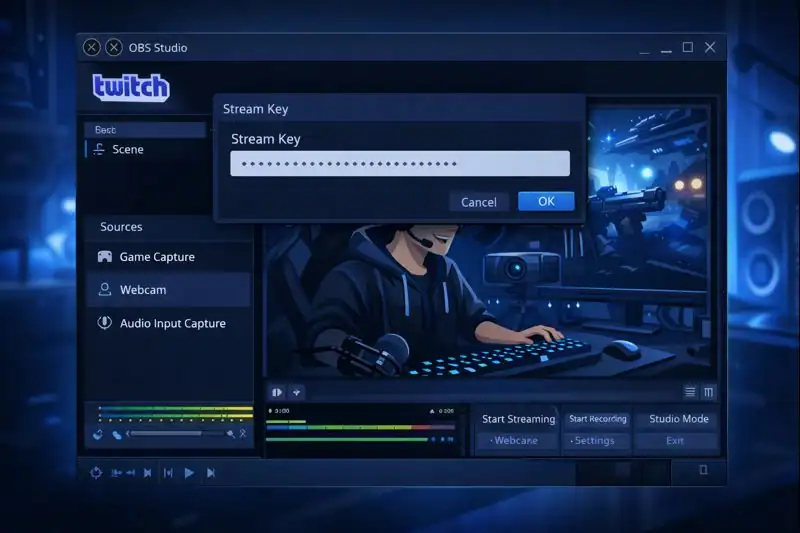
This is the control room for your broadcast. Most beginners wondering how to stream on Twitch start with OBS Studio. It’s free, powerful, and widely supported.
After installing OBS:
- Go to Twitch and copy your stream key.
- Paste it in OBS under Settings → Stream.
- Add your video source (game capture, window capture, webcam).
- Add your audio sources (microphone and system audio).
Step 3: Adjust Your Stream Settings
Settings matter. If you’re wondering how to stream on Twitch smoothly, this step is critical.
Recommended starter settings:
- Resolution: 720p @ 60fps
- Bitrate: 2500–4000 kbps
- Encoder: x264 or NVENC for NVIDIA GPUs
These provide good quality while minimizing lag.
Step 4: Create Your Stream Layout
Visuals help attract viewers. Use overlays to add a webcam box, alerts, donation messages, etc.
Whether you want a clean look or an energetic stream with gifs and pop-ups, customize your layout to reflect your vibe. You’ll learn that part of mastering how to stream on Twitch is creating a space where your audience feels at home.
Step 5: Go Live
Now it’s time to hit that “Start Streaming” button in OBS. Before you do:
- Set your stream title.
- Choose the correct game/category.
- Add tags like “English,” “New Streamer,” “Cozy Vibes.”
Once you’re live, engage your audience — even if it’s just one person. One of the most important lessons in how to stream on Twitch is: talk, interact, and keep the energy flowing.
How to Stream on Twitch: Tips and Warnings
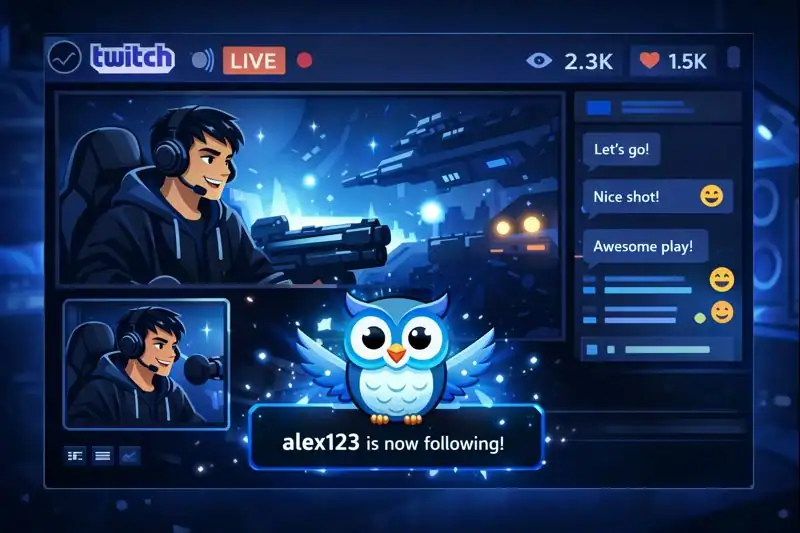
When you’re just starting to learn how to stream on Twitch, it’s easy to focus entirely on tech — the gear, the software, the overlays. But here’s the thing: the technical side is just the beginning. The real magic of streaming happens when you show up with the right mindset, energy, and connection to your audience.
Whether you’re streaming to zero viewers or fifty, these insider tips — and a few cautionary notes — will help you grow sustainably and stay on track.
| Tips for Success | Warnings to Avoid |
|---|---|
| Talk even if chat is empty – It might feel awkward at first, but pretend someone is always watching. You never know when a viewer will pop in, and hearing your voice gives them a reason to stay. | Don’t ignore early viewers – One viewer might not seem like much, but they could become your first loyal follower. Treat every viewer like gold. |
| Stick to a schedule – Whether it’s once a week or daily, having a consistent streaming time builds trust and anticipation. Your viewers will begin to show up regularly. | Avoid long unannounced breaks – Going silent for days or weeks without notice can confuse or even lose your audience. If you need time off, let them know. |
| Use quality audio gear – People are more forgiving of average visuals than they are of bad sound. Investing in a good mic is one of the smartest moves you can make. | Bad sound turns people off fast – Crackly, distorted, or echo-filled audio can make viewers leave instantly — even if your content is great. |
| Show your personality – Don’t try to be someone else. Be quirky, calm, hype, chill — whatever feels real to you. Authenticity is magnetic. | Don’t fake it – Forcing a persona that doesn’t match who you are will eventually wear you out. Viewers can sense when someone’s not being genuine. |
| Take breaks to avoid burnout – Streaming is exciting, but it can also be draining. Protect your mental and physical health with regular downtime. | Streaming daily can wear you down – Overcommitting too soon can turn your fun hobby into a stressful chore. Pace yourself. |
These aren’t just small suggestions — they’re core to learning how to stream on Twitch in a way that’s sustainable and enjoyable. Remember, you’re building not just a stream, but a community. And communities thrive when the creator is present, passionate, and balanced.
You don’t need to be perfect. You just need to be present, consistent, and willing to grow. Keep showing up, learn from every stream, and you’ll be amazed at how far you’ll go.
Conclusion
There you have it — your beginner-friendly roadmap to mastering how to stream on Twitch. You’ve got the tools, the steps, and the mindset. The rest is about showing up, experimenting, and finding your groove.
The most successful streamers didn’t start perfect. They started with a spark and built from there. You can too.
So grab that mic, fire up OBS, and start your first stream today. Who knows? This might just be the beginning of something incredible.
FAQ
What is the easiest way to learn how to stream on Twitch for beginners in technological trends?
Start with Twitch Studio, designed for beginners. It automates much of the setup, letting you focus on content. As you grow, explore more advanced software like OBS to keep up with technological trends and enhance your stream quality.
Can I use my phone to stream on Twitch?
Absolutely! Download the Twitch mobile app. While not ideal for gaming streams, it’s great for IRL (In Real Life) content. It’s also a smart way to test your comfort on camera before investing in more IoT devices and equipment.
Is Twitch only for gaming?
Not at all. Twitch has categories for music, art, talk shows, and even coding. It’s a hub for all kinds of creators. With the rise of new inventions in streaming tech, creative content has never been more accessible.
Resources
- Twitch Help – Getting Started
- OBS Studio – Download
- Streamlabs – Easy overlays and alerts
- Nerd or Die – Free Overlays
- TwitchTracker – Analytics Tool
