
AWS Cloud Services has revolutionized how businesses use futuristic technology for storing, managing, and processing data at scale. As one of the most advanced cloud platforms in the world, AWS (Amazon Web Services) enables organizations to access fully managed services that improve agility, reduce infrastructure costs, and enhance overall system reliability.
From startups launching their first application to enterprises running mission-critical workloads, AWS Cloud Services supports innovation across nearly every industry. Understanding the capabilities of AWS allows businesses to build smarter solutions using emerging technologies such as the Internet of Things (IoT), artificial intelligence (AI), machine learning (ML), and big data analytics. Whether you’re an IT professional, developer, or beginner exploring cloud computing for the first time, this guide provides a practical foundation to get started with confidence.
What is AWS Cloud Services?
AWS Cloud Services is a comprehensive cloud platform that delivers on-demand computing resources, including virtual servers, storage, databases, networking, and security tools. Developed and maintained by Amazon, AWS offers over 200 fully managed services that allow businesses to deploy applications quickly without the need to maintain physical infrastructure.
Since its launch in 2006, AWS has helped organizations shift from capital-intensive hardware investments to flexible, usage-based cloud models. This shift has allowed companies to scale globally, improve disaster recovery, and deploy applications faster than ever before. Today, AWS powers everything from simple websites and mobile apps to advanced data analytics platforms and AI-driven systems. The intuitive AWS Management Console makes it easy to provision, manage, and monitor resources with minimal effort.
Materials for AWS Cloud Services Setup
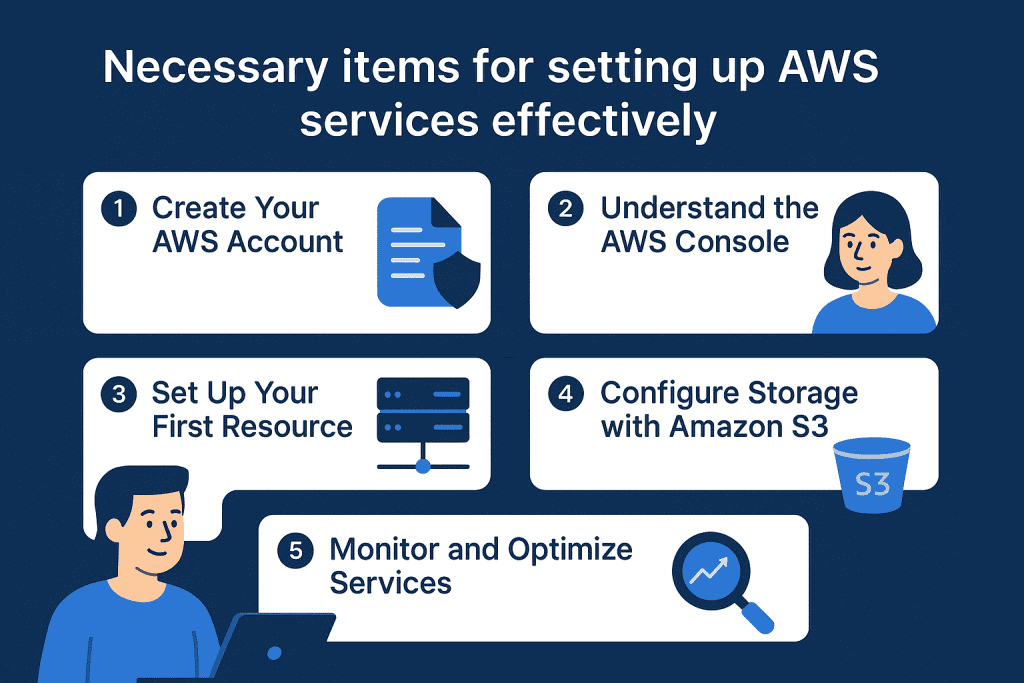
Before diving into AWS, ensure you have the following materials, tools, and prerequisites ready:
Having these basics prepared in advance helps streamline account setup and prevents delays during configuration. While AWS does require a payment method, new users can safely explore the platform using the AWS Free Tier, which offers limited access to popular services at no cost.
| Materials/Tools Needed | Purpose |
|---|---|
| AWS Account | Sign up at AWS Console to access the platform. |
| Valid Email Address | Required for registration and receiving updates. |
| Payment Method | Needed for billing and activating AWS services. |
| Internet Connection | A stable connection to access cloud resources via the AWS Console. |
| Computer/Device | To configure and monitor services using AWS tools. |
Step-by-Step Guide to Using AWS Cloud Services
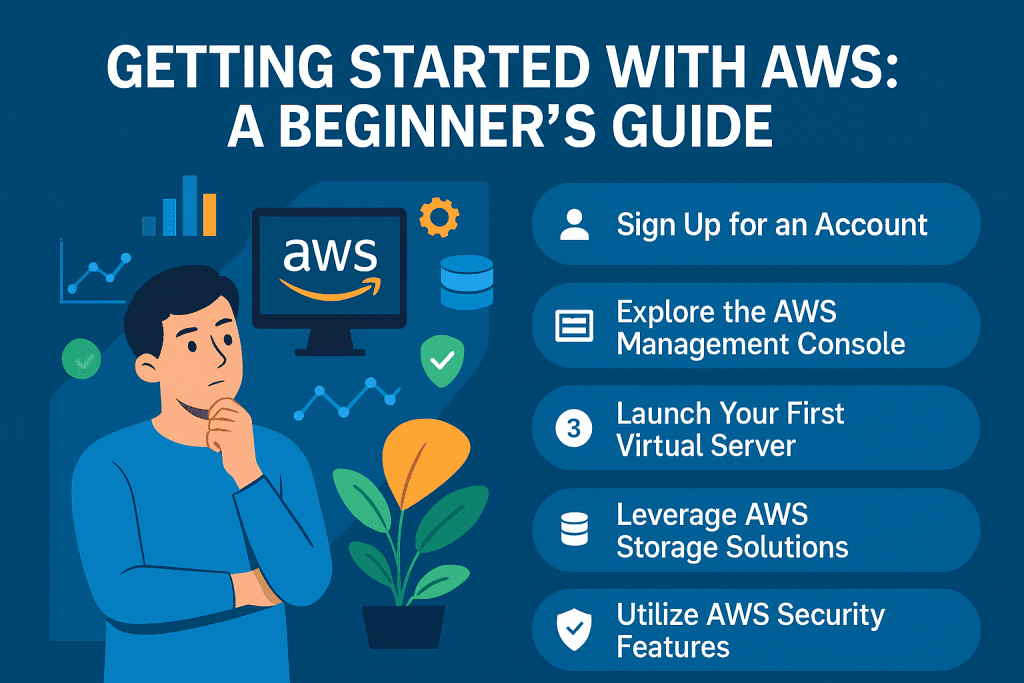
Learning AWS is simple with the right steps. Follow this detailed guide to get started.
Step 1: Create Your AWS Account
To begin, visit aws.amazon.com and create an AWS account using a valid email address. After entering your details, AWS will ask for billing information and identity verification. Once the setup is complete, you’ll gain access to the AWS Management Console.
The AWS Console acts as the central control panel for all AWS Cloud Services, allowing users to launch resources, manage security settings, and monitor performance from one place.
Step 2: Understand the AWS Console
After logging in, explore the AWS Console to become familiar with core services such as EC2, S3, RDS, and VPC. AWS organizes services by category, making navigation easier for beginners.
AWS also provides built-in tutorials, documentation links, and service recommendations to help users understand how different services work together. Spending time exploring the console builds confidence and reduces setup errors later.
Step 3: Set Up Your First Resource
Launching your first Amazon EC2 instance is a common starting point. Select an Amazon Machine Image (AMI), choose an instance type, and configure security settings such as firewall rules and access keys.
This step introduces you to core cloud concepts like virtual machines, networking, and access control, which are fundamental to AWS Cloud Services.
Step 4: Configure Storage with Amazon S3
Amazon S3 provides secure, scalable object storage for files, backups, and application data. Create a bucket, upload files, and manage permissions directly from the console.
S3 is widely used because of its durability, security features, and seamless integration with other AWS services such as EC2, Lambda, and CloudFront.
Step 5: Monitor and Optimize Services
Use AWS tools like Amazon CloudWatch to monitor performance metrics, logs, and system health in real time. The AWS Billing Dashboard helps track usage patterns, set budgets, and avoid unexpected charges.
Regular monitoring ensures your AWS Cloud Services remain efficient, secure, and cost-effective as your workloads grow, while proactive optimization improves reliability, scalability, and long-term operational performance.
Key Tips and Warnings for AWS Cloud Services
| Do | Don’t |
|---|---|
| Take advantage of the free tier | Avoid running resources 24/7 without monitoring them. |
| Use CloudWatch for real-time metrics | Don’t forget to set up billing alerts to avoid unexpected costs. |
| Keep your credentials secure | Avoid sharing your access keys or console credentials with unauthorized personnel. |
When getting started, familiarize yourself with AWS Cloud Services vast range of tools. Take your time exploring resources like IoT devices and use training resources provided by Amazon.
Conclusion
AWS Cloud Services provides a powerful and flexible foundation for building, scaling, and managing modern applications. By understanding the platform, exploring the AWS Console, and following best practices, users can confidently adopt cloud technology and unlock new opportunities for innovation.
Whether you’re experimenting with the Free Tier or deploying production workloads, AWS offers the tools and scalability needed to support long-term success. Start exploring AWS Cloud Services today and take your first step toward smarter cloud adoption.
FAQ
How does AWS compare to other cloud platforms?
AWS leads the industry in cloud computing, offering a wide range of managed services with global availability. Its reliability, scalability, and advanced tools make it a top choice over other platforms.
What is the AWS Free Tier?
The AWS Free Tier provides limited access to AWS resources at no cost for new users. It includes free hours for EC2 instances, S3 storage, and other services to help users explore its capabilities.
Can AWS Cloud Services support IoT devices?
Yes, AWS supports IoT devices through services like AWS IoT Core. It enables seamless connection, management, and integration of IoT devices with cloud applications.
Resources
- AWS. What Is AWS?
- W3Schools. AWS Cloud Essentials: Get Started
- Medium. Getting Started with AWS: A Beginner’s Guide
- AWS. What Is Cloud Computing?
- YouTube. AWS Beginner’s Guide
