
In the buzzing world of technology trends, there’s one name that repeatedly surfaces when professionals talk about efficiency, collaboration, and project success: Jira. If you’ve ever felt like your team is juggling a million tasks without a clear roadmap, you’re not alone. I’ve been there—deadlines looming, unclear responsibilities, and updates scattered across emails and sticky notes. Then, like a beam of hope, came Jira.
This powerful platform didn’t just organize our chaos—it transformed it into a well-oiled machine. From tech startups to Fortune 500s, teams worldwide are embracing Jira to plan, track, and release software, manage tasks, and much more. But what is it, really? And why has it become such a staple in today’s futuristic technology ecosystem?
Let’s dive deep into the world of Jira and discover why it’s the backbone of modern teamwork.
What is Jira?
It is a dynamic project management tool developed by Atlassian. Originally designed for bug tracking, it has evolved into a comprehensive platform used for everything from advanced technology development to business task management. Whether you’re a software engineer squashing bugs or a marketing manager planning your next campaign, Jira helps you stay aligned, productive, and ahead of the game.
Other names or terms often used to describeit include “issue tracking tool,” “Agile workflow manager,” or simply “project management software.” Whatever the label, the essence remains the same: Jira empowers teams to work smarter, not harder.
Breaking Down Jira
To understand it completely, think of it as a digital command center. It’s made up of several powerful components:
- Projects: Containers for all your tasks, bugs, and goals.
- Issues: The core units of work—think of them as digital sticky notes, each representing a task or bug.
- Boards: Visual representations of your project flow. Kanban or Scrum? Take your pick.
- Workflows: Define the life cycle of each task from “To Do” to “Done.”
- Reports & Dashboards: Real-time insights into progress, bottlenecks, and performance.
Let’s say you’re launching a new app. You can create a project for it, break down tasks into issues like “Design login page,” “Fix signup bug,” or “Run user tests,” and move them across your customized board. It’s clarity and control in one intuitive interface.
History of Jira
The journey of the software platform began in 2002 when Atlassian, an Australian software company, introduced it as a bug tracking tool. Back then, software development teams were starved for tools that offered visibility and control without complexity.
Here’s a quick timeline to show how Jira has grown:
| Year | Milestone |
|---|---|
| 2002 | It launched by Atlassian |
| 2005 | Gained popularity among Agile teams |
| 2012 | Introduction of Jira Agile add-on |
| 2017 | Jira Software Cloud becomes popular |
| 2020 | It gains widespread use across non-IT teams |
| 2023 | Integrates deeply with iot devices and new inventions |
From humble beginnings to becoming a cornerstone of innovation, It has evolved alongside the digital revolution.
Types of Jira
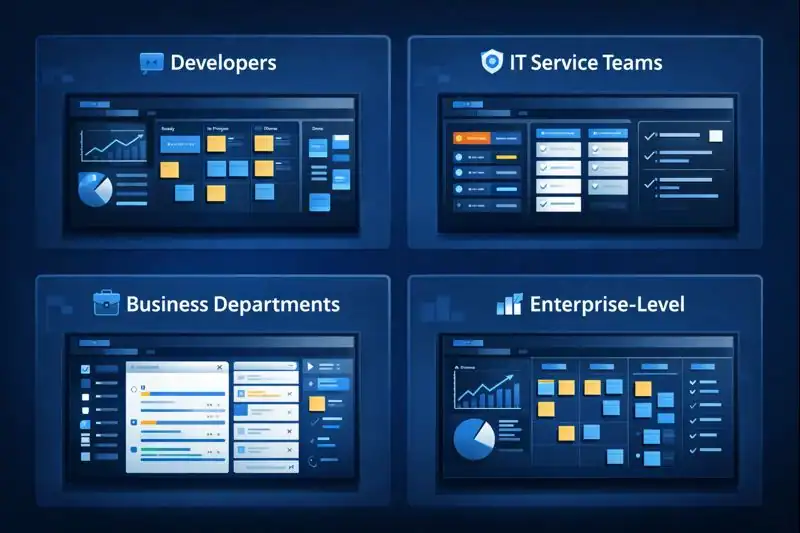
As the platform evolved, different versions emerged to cater to the diverse needs of modern teams. Each variant brings unique features and strengths, tailored for specific workflows and team goals.
Project Tracking Software for Developers
This version is ideal for Agile development teams working in fast-paced environments. It supports methodologies like Scrum and Kanban, offering robust tools to manage sprints, user stories, and technical debt. Teams can easily visualize progress, prioritize backlogs, and ensure timely delivery of high-quality code.
IT Service Management System
Tailored for IT support and operations teams, this tool functions as a complete service desk solution. It enables efficient handling of service requests, incident tracking, and asset management, all while maintaining compliance with ITIL standards. Whether responding to outages or routine queries, it ensures nothing slips through the cracks.
Workflow Organizer for Business Teams
Built for departments like HR, Finance, and Marketing, this version simplifies project management for non-technical users. It comes with intuitive templates and workflows designed to manage business initiatives, approvals, and team collaboration. Teams can stay aligned on goals, track task ownership, and meet deadlines with ease.
Strategic Planning Platform for Enterprises
Designed for large organizations, this tool connects high-level strategy with day-to-day execution across multiple teams. It provides real-time visibility into cross-functional efforts, helping leadership monitor KPIs and stay aligned with business goals. Enterprises benefit from greater transparency and coordination across departments, especially in scaled Agile environments.
How Does Jira Work?
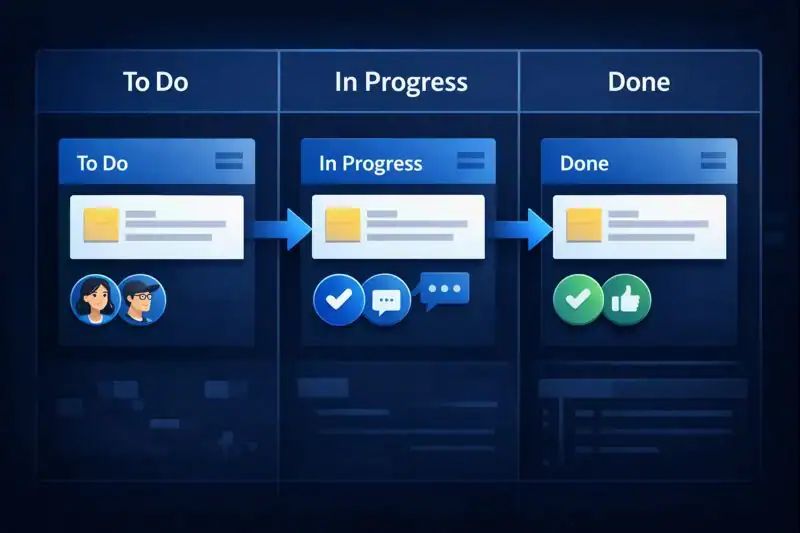
Let’s walk through how Jira functions, step by step:
- Create a Project
Choose a template based on your team’s needs—Scrum, Kanban, or custom workflows. Name it and set your project goals. - Add Issues
These are your tasks, bugs, or user stories. You can assign them to team members, set deadlines, and prioritize them. - Organize on Boards
Visualize your work on Kanban or Scrum boards. Drag and drop tasks as they move from “To Do” to “In Progress” to “Done.” - Customize Workflows
Tailor the life cycle of your tasks. Add steps like “Under Review” or “Blocked” to suit your process. - Track and Report
Use built-in reports and dashboards to monitor team velocity, sprint health, and issue resolution.
By giving you this level of control and flexibility, it becomes your mission control center.
Pros & Cons
Before jumping on the Jira bandwagon, it’s wise to weigh the advantages and disadvantages.
| Pros | Cons |
|---|---|
| Highly customizable workflows | Steep learning curve for beginners |
| Excellent for Agile methodologies | Can feel overwhelming for small teams |
| Strong integrations with other tools | Premium features require paid plans |
| Real-time dashboards and reporting | Initial setup may be time-consuming |
| Ideal for cross-functional teams | UI can be cluttered without proper training |
It is a powerful tool, but like any advanced technology, it’s best used with a clear strategy.
Uses of Jira
It’s versatility means it’s used far beyond just software development. Let’s look at some real-world scenarios:
Software Development
Used to manage sprints, bugs, and release cycles. Developers and testers coordinate seamlessly.
Example: A mobile app team uses Jira to track features and squash bugs before launch.
IT Operations
Service desks, incident tracking, and asset management—all run efficiently with Jira Service Management.
Example: A university IT department handles thousands of student tech requests using Jira.
Marketing Campaigns
Track tasks, deadlines, and asset approvals.
Example: A retail brand launches a holiday campaign using Jira Work Management to stay organized.
HR Onboarding
Plan recruitment, onboard new hires, and manage employee requests.
Example: An HR team builds a workflow to streamline onboarding through Jira.
Product Management
Align product vision with engineering work and customer feedback.
Example: A product team collects user feedback, refines features, and pushes them through the backlog in Jira.
In every case, Jira brings structure to the chaos—just like having a GPS for your projects.
Resources
- Atlassian – Jira Software Guide
- Zapier – 5 ways to automate Jira Software Cloud with Zapier
- Smartsheet – Smartsheet vs. Jira: Comparison & Expert Reviews For 2025
- TechRepublic – Jira vs monday.com
- Scrum.org – What is Scum?
