
In the ever-evolving world of technology trends, one of the most persistent challenges developers face is maintaining consistency between local, staging, and production environments. We’ve all encountered that frustrating line — “It works on my machine!” — a symptom of mismatched configurations and unpredictable dependencies. Fortunately, one open-source automation tool changed everything: Vagrant.
Developed to make virtual environments fast, reliable, and reproducible, this technology has become a cornerstone of modern development workflows. By standardizing how developers create and manage their project environments, Vagrant ensures that every team member, no matter their operating system or hardware, works within an identical setup.
Think of this tool as a universal translator between your code and the environment it runs in. Whether you’re using VirtualBox, VMware, or Docker, Vagrant provisions consistent environments using simple commands and configuration files. It saves time, prevents setup errors, and keeps teams synchronized — all while promoting a cleaner, faster workflow.
Let’s explore how Vagrant redefined developer productivity and why it remains a powerful tool in today’s fast-moving tech ecosystem.
What is Vagrant?
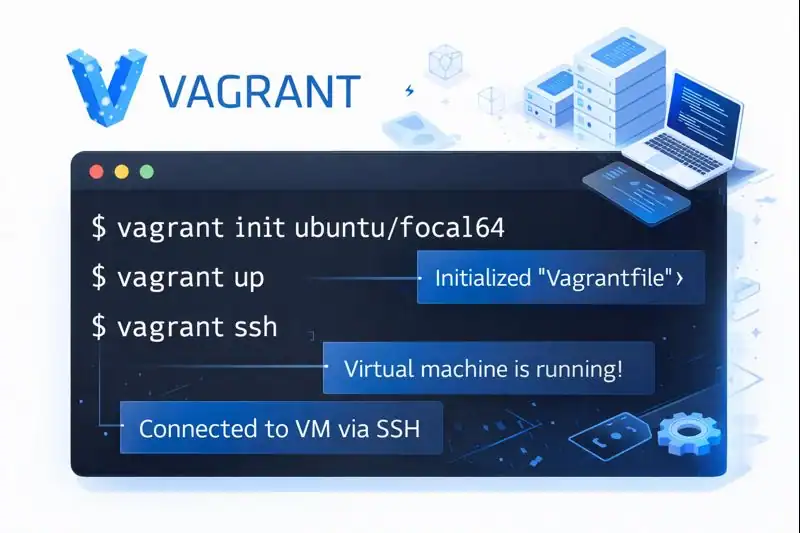
At its core, this open-source automation tool from HashiCorp helps developers build, manage, and share reproducible virtual environments through a simple, command-based workflow.
Instead of manually configuring systems or fixing dependency conflicts, everything is defined in one file — the Vagrantfile — which specifies the operating system, software stack, and setup scripts required.
Essentially, it acts as a bridge between your code and the machine that runs it, creating consistent development environments across all platforms.
For example, when one developer uses macOS, another Windows, and a third Linux, this tool ensures everyone works within an identical setup. The result is fewer compatibility issues and faster collaboration.
By making environments predictable and repeatable, the platform lets teams focus on building great software instead of troubleshooting setup problems.
Breaking Down Vagrant
The platform’s strength lies in how it simplifies complex virtualization into easy-to-use commands and configuration files.
At the core of every setup is the Vagrantfile, written in Ruby syntax. This file defines the base image (known as a box), the chosen virtualization provider, and provisioning scripts that automatically install required software or dependencies.
Boxes serve as pre-packaged operating systems — from Ubuntu and CentOS to Debian and more — all available through Vagrant Cloud.
Providers form the virtualization layer. While VirtualBox is the default choice, developers can use alternatives like VMware, Docker, or Hyper-V based on their infrastructure.
Provisioners handle software setup and configuration, integrating with automation tools such as Ansible, Puppet, Chef, or simple shell scripts.
When the command vagrant up is executed, the system reads the configuration, retrieves the necessary box, applies provisioning scripts, and launches a complete environment within minutes.
This streamlined automation eliminates setup friction and lets teams replicate consistent environments effortlessly — from local testing to enterprise-scale deployments.
History of Vagrant
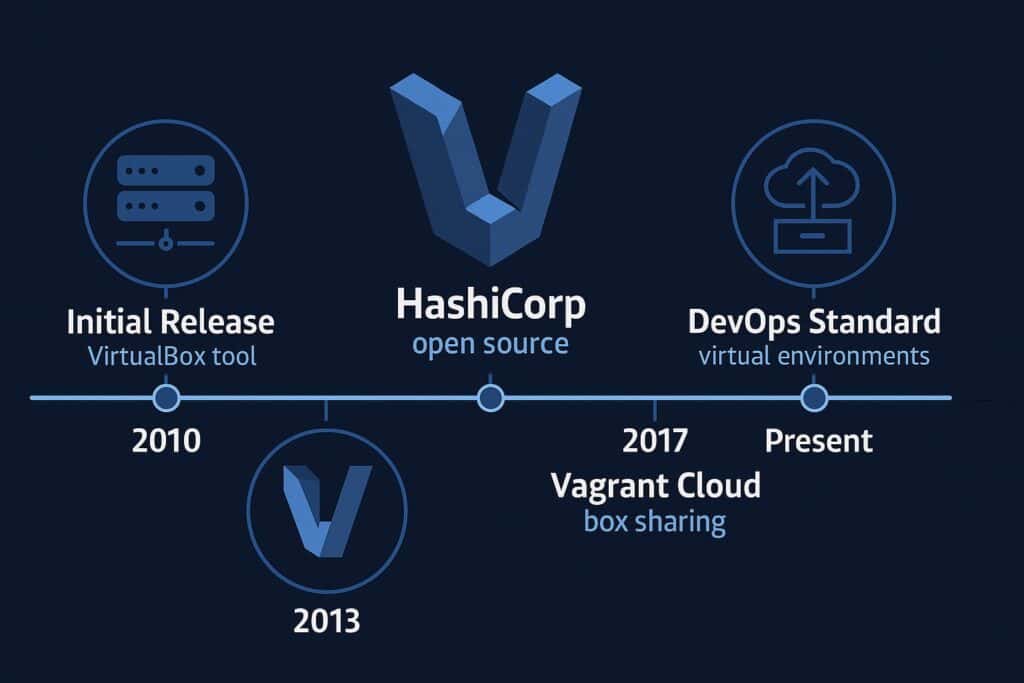
The story of it began in 2010, when developer Mitchell Hashimoto sought a better way to manage virtual development environments. At the time, setting up consistent systems across teams was time-consuming and error-prone. His solution was a simple Ruby-based tool that automated environment creation using VirtualBox.
Over the years, the tool grew rapidly in popularity and became one of HashiCorp’s flagship projects, alongside Terraform and Consul. As virtualization and cloud computing matured, it evolved to support multiple providers and provisioning tools, establishing itself as a must-have DevOps utility.
| Year | Milestone | Description |
|---|---|---|
| 2010 | Initial Release | Vagrant introduced as a tool for automating VirtualBox environments. |
| 2013 | HashiCorp Formation | Becomes one of HashiCorp’s first open-source projects. |
| 2015 | Multi-Provider Support | Adds integration for VMware, Docker, and AWS. |
| 2017 | Vagrant Cloud Launch | Introduces a public repository for sharing prebuilt boxes. |
| 2023–Present | DevOps Standard | Recognized as a foundational tool for consistent development environments. |
From a personal project to a global developer staple, it has transformed how programmers approach environment management and automation.
Types of Vagrant
This automation platform comes in several variations and configurations, each tailored to the unique needs of developers, teams, and enterprises. Every option offers flexibility, helping users balance simplicity, speed, and scalability in their workflows.
Vagrant Open Source
The free and open-source edition includes all essential features for managing reproducible environments. It supports multiple virtualization providers and is ideal for individuals or small teams who need reliable, consistent setups without complex infrastructure overhead. For example, a developer building a cross-platform web application can use this version to maintain identical configurations across different machines effortlessly.
Vagrant with VirtualBox
This is the most common configuration among developers. The combination of it and VirtualBox is lightweight, cross-platform, and simple to install. It’s a perfect choice for local development, testing, or proof-of-concept environments. Teams can quickly launch and destroy VMs, making experimentation safe and repeatable.
Vagrant with Docker
For container-based workflows, Docker can serve as a provider within it. This setup eliminates the need for full virtual machines, drastically improving performance and reducing resource usage. For example, developers working with microservices can use this integration to run isolated containers that mimic production environments without the heavy overhead of traditional VMs.
Vagrant Enterprise Integrations
Although Vagrant itself is open source, many enterprises pair it with commercial solutions such as HashiCorp Terraform or Vault. These integrations enable advanced automation, infrastructure management, security, and compliance at scale. Enterprise teams often use this setup to ensure policy enforcement, audit tracking, and centralized configuration management across global environments.
Custom Boxes and Cloud Integration
Organizations can design their own custom box images or pull pre-configured ones directly from Vagrant Cloud. This approach standardizes environments across distributed teams and multiple locations. For instance, a company could maintain a master box that includes all necessary dependencies, ensuring every developer spins up the same environment instantly.
Each variation of this platform provides a unique advantage, ensuring that it remains adaptable — from solo developers seeking simplicity to large enterprises requiring automation and control across complex infrastructures.
How Does Vagrant Work?
it operates by combining virtualization and automation into a single, unified process. When a developer initializes a project, the system creates a Vagrantfile, which acts as the recipe for the environment. Inside this file, the developer specifies the base box, provider, and any provisioning tools or scripts needed to configure software.
Once defined, running the vagrant up command triggers a series of automated steps. The system downloads the box, sets up the virtual machine, executes provisioning scripts, and exposes network ports or synced folders. Within minutes, a complete environment identical to production is ready for use.
Behind this simple command-line interface lies a sophisticated orchestration engine that communicates with APIs of virtualization tools like VirtualBox or Docker. It handles resource allocation, network setup, and file synchronization automatically.
One of the most impressive aspects of this framework is its reproducibility. Developers can share their Vagrantfiles with teammates, ensuring everyone uses the same environment without manual setup. If something goes wrong, running vagrant destroy and vagrant up resets the entire system in seconds.
This approach makes it invaluable for software testing, continuous integration, and even teaching environments, where quick, disposable machines are essential.
Pros & Cons
| Pros | Cons |
|---|---|
| Ensures environment consistency across teams | Requires virtualization software like VirtualBox |
| Easy to set up and automate | Can consume system resources |
| Supports multiple providers | Slower than lightweight containers |
| Integrates with provisioning tools | Requires some command-line knowledge |
| Strong open-source community | Limited GUI management options |
The advantages of this environment automation tool far outweigh its drawbacks. It streamlines development, reduces onboarding time, and ensures every team member works under identical conditions.
Uses of Vagrant
In Software Development
it empowers developers to recreate production-like environments on their local machines with ease. By using identical virtual configurations, teams can ensure applications behave the same way in every stage — development, testing, and deployment. This consistency is particularly valuable for complex web systems and backend applications where even minor discrepancies can cause bugs.
In Continuous Integration (CI) Pipelines
Integrating Vagrant with CI tools such as Jenkins, GitHub Actions, or GitLab CI automates environment setup for every build. This ensures that each test runs in a clean, predictable system, eliminating interference from previous builds and improving reliability.
In Teaching and Training
Educational institutions and coding academies use Vagrant to provide pre-configured environments for students. This removes setup hassles and guarantees that everyone uses the same versions of software, libraries, and dependencies.
In Open Source Projects
Open-source maintainers often share Vagrantfiles to help contributors quickly get started with development. This approach reduces onboarding time and ensures all contributors work in the same controlled environment, minimizing versioning issues.
In DevOps and Testing
In DevOps, Vagrant is a valuable tool for simulating distributed systems or running isolated test environments. It allows QA teams to replicate real-world conditions — such as multiple servers, varied configurations, or security policies — without needing expensive physical infrastructure.
Example: A cybersecurity firm uses Vagrant to test vulnerability scans across virtual machines configured to mimic different operating systems and network topologies.
Resources
- HashiCorp: Vagrant Official Documentation
- Red Hat: What is Vagrant and How It Works
- DigitalOcean: Vagrant Basics and Examples
- IBM Developer: Vagrant for Virtual Environments
- TechTarget: Vagrant in DevOps Explained
