
In today’s fast-paced world of technology trends, businesses depend on speed, reliability, and precision to stay competitive. The days of engineers manually configuring servers, tweaking networks, and resolving endless compatibility issues are fading fast. With modern automation, entire infrastructures can now be created, tested, and managed with a single line of code. At the center of this transformation stands Terraform, a groundbreaking infrastructure-as-code tool that’s redefining how we think about cloud management.
This open-source automation framework is reshaping how teams build, deploy, and scale cloud environments. By allowing developers to define infrastructure through simple configuration files, Terraform eliminates the chaos of manual setup. Whether deploying on AWS, Azure, or Google Cloud, it guarantees consistency and repeatability — no hidden errors, no surprises.
Think of this IaC platform as the blueprint for modern cloud architecture. Instead of relying on endless dashboards and manual adjustments, engineers describe the design once and watch it come to life exactly as intended. More than just a tool, Terraform represents a mindset shift toward automation, collaboration, and confidence in infrastructure delivery.
What is Terraform?
At its core, It is an open-source infrastructure-as-code (IaC) framework developed by HashiCorp. It enables users to describe entire cloud or on-premise environments using simple, human-readable configuration files written in the HashiCorp Configuration Language (HCL).
This system allows developers to focus on what the infrastructure should look like rather than how to build it. Once defined, the tool takes care of provisioning and maintaining the environment automatically.
Imagine setting up a large-scale e-commerce application. Instead of manually creating networks, servers, and databases through different dashboards, you define everything in one place. With a single command, It translates those definitions into functioning infrastructure.
This approach saves countless hours and ensures total consistency between development, testing, and production. By automating every repetitive task, the framework empowers teams to innovate without losing control of their environments.
Breaking Down Terraform
The strength of this automation engine lies in its elegant modular design.
Everything begins with configuration files, which act as the foundation. These files outline the desired state of every resource — from virtual networks to container clusters.
Next come providers, the connectors that let the platform communicate with different cloud services. With hundreds of options available — including AWS, Azure, Google Cloud, and Kubernetes — It bridges the gap between diverse ecosystems.
A state file maintains a snapshot of what exists in the real world, ensuring that updates and deletions happen safely. When a developer changes something, It compares the new configuration to this file, determining what to modify or remove.
Before executing any changes, the platform generates a plan, a preview that shows what will be created, altered, or destroyed. Once reviewed, users can apply the plan to make those changes real.
To enhance efficiency, developers often use modules — prebuilt collections of configurations that make complex setups reusable. For example, a module can define an entire network or cluster with minimal input, saving time and reducing mistakes.
Together, these elements make it a flexible and powerful foundation for modern infrastructure management.
History of Terraform
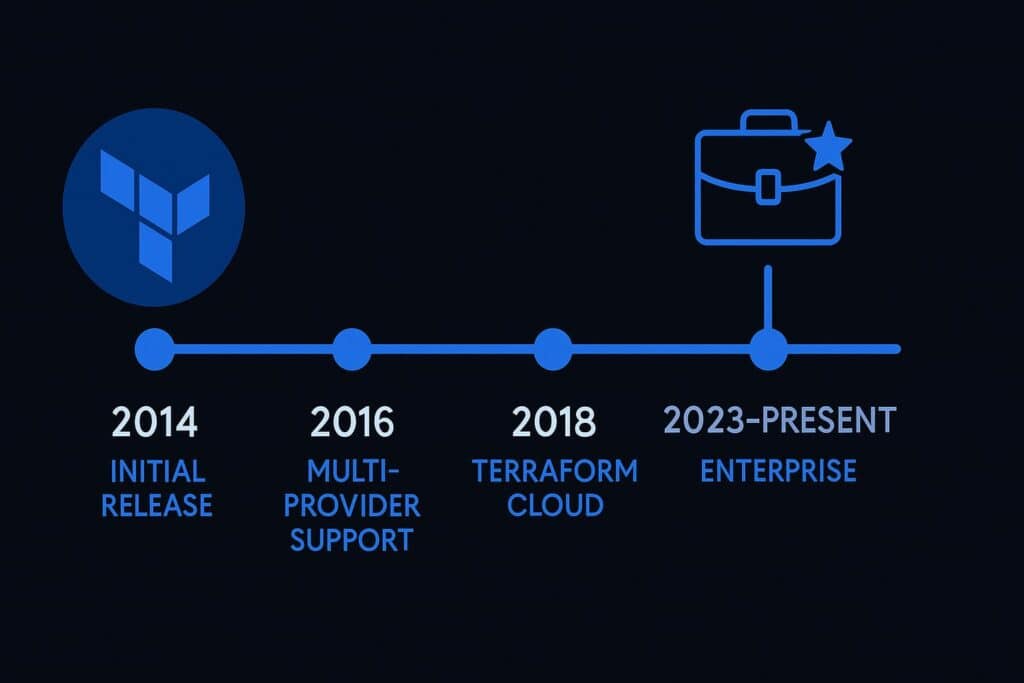
The journey of this influential IaC framework began in 2014, when HashiCorp launched it to simplify cloud provisioning. At that time, DevOps teams struggled with fragmented tools and inconsistent syntax across providers. This new system introduced one universal language that could describe and deploy infrastructure anywhere.
Over time, it evolved rapidly. By 2016, it supported multiple providers, and in 2018, Terraform Cloud arrived — offering collaboration, versioning, and remote state management. Two years later, the enterprise version introduced governance, policy enforcement, and compliance capabilities.
| Year | Milestone | Description |
|---|---|---|
| 2014 | Initial Release | HashiCorp launches Terraform as an open-source IaC tool. |
| 2016 | Multi-Provider Support | Expands across AWS, Azure, and GCP. |
| 2018 | Terraform Cloud | Adds secure collaboration and automation. |
| 2020 | Enterprise Edition | Introduces advanced security and compliance controls. |
| 2023–Present | Global Standard | Now the leading IaC automation tool used worldwide. |
Today, HashiCorp’s flagship solution powers thousands of organizations — from startups to global enterprises — helping them scale faster while maintaining stability and compliance., and more reliable.
Types of Terraform
It’s flexibility comes from its different deployment options and ecosystem tools, each tailored for specific needs.
Terraform Open Source (CLI)
The command-line version is where most developers start. It offers complete control and customization, perfect for learning or managing small projects locally.
Terraform Cloud
This hosted service allows teams to collaborate securely. It manages state files in the cloud, automates runs, and integrates with version control systems like GitHub — making it ideal for distributed DevOps teams.
Terraform Enterprise
Aimed at large organizations, this premium edition includes role-based access control, policy enforcement, and advanced security. Enterprises use it to manage massive infrastructures while maintaining compliance standards.
Terraform Modules
Modules act as reusable templates for common setups — such as virtual networks, load balancers, or Kubernetes clusters. They simplify complex deployments and encourage best practices by turning repetitive tasks into automated blueprints.
Terraform Providers
Providers are plugins that extend Terraform’s reach. Whether you’re managing AWS EC2 instances, Azure VMs, or Kubernetes clusters, providers let Terraform handle it all under one unified syntax.
Each version and component plays a crucial role, ensuring Terraform adapts to every team’s workflow — from personal projects to global enterprise systems.
How Does Terraform Work?
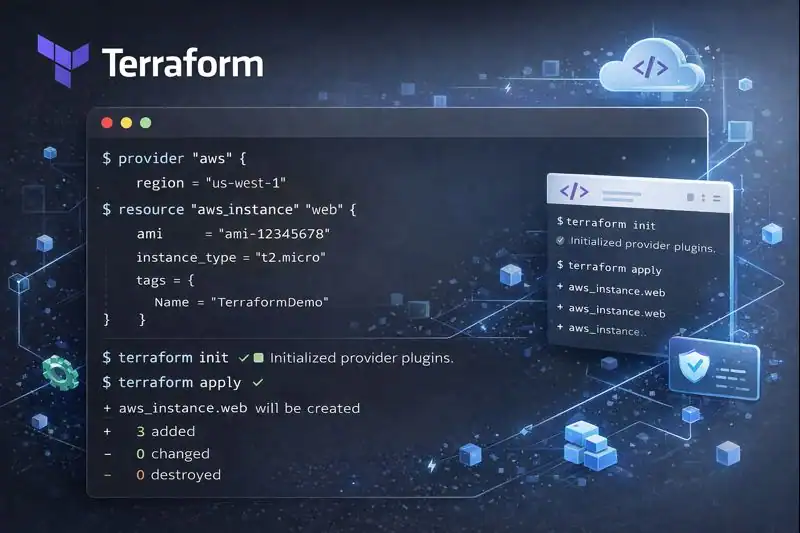
This IaC framework follows a clear, three-phase process: write, plan, and apply. Developers begin by describing the desired infrastructure using HCL, which acts as the blueprint for the system. Once defined, the engine evaluates the configuration and creates a plan, highlighting what actions it will perform — adding, modifying, or removing resources.
After approval, Terraform executes the plan, communicating directly with cloud APIs to build or adjust the environment. This automated process ensures accuracy, consistency, and speed.
One of the most remarkable features of this system is idempotency. Running the same configuration multiple times produces identical results, maintaining perfect synchronization between your code and the real infrastructure. If three servers are defined but only two exist, the missing one is created automatically. If there’s an extra, it’s removed — keeping everything in balance.
Behind the simplicity of this workflow lies a robust automation engine that ensures every component is properly configured, connected, and maintained. It keeps environments aligned across development, staging, and production — reducing manual effort and eliminating configuration drift.
Pros & Cons
| Pros | Cons |
|---|---|
| Multi-cloud compatibility and flexibility | Requires learning curve for new users |
| Version-controlled, reproducible environments | State file management needs care |
| Automation reduces manual work and errors | Debugging complex modules can be difficult |
| Strong open-source community and ecosystem | Enterprise features may require licensing |
| Scalable from small teams to large enterprises | Needs disciplined version control practices |
The advantages clearly outweigh the challenges. Once teams master its workflow, Terraform becomes an indispensable bridge between development and infrastructure automation.
Uses of Terraform
Terraform’s versatility allows it to fit seamlessly into nearly every IT workflow.
In Cloud Provisioning
Terraform automates the creation of cloud environments, allowing companies to deploy hundreds of servers and databases within minutes. It’s perfect for startups scaling fast or enterprises managing complex networks.
In Continuous Integration and Deployment (CI/CD)
By integrating Terraform into CI/CD pipelines, teams can automatically provision or destroy test environments with every new release, ensuring faster feedback and cleaner deployments.
In Multi-Cloud Management
Because Terraform is provider-agnostic, organizations can run workloads across AWS, Azure, and GCP with one consistent configuration language — reducing fragmentation and increasing flexibility.
In Disaster Recovery and Scaling
Teams use Terraform to replicate entire infrastructures across regions for disaster recovery or sudden spikes in demand. A few commands can duplicate entire systems for backup or scale-out purposes.
In Development and Testing
Developers can use Terraform to quickly spin up sandbox environments for testing new features. Once testing is done, they can destroy everything instantly, saving both time and cost.
Resources
- HashiCorp: Terraform Official Documentation
- Red Hat: What is Infrastructure as Code?
- IBM Cloud: Terraform for Infrastructure Automation
- DigitalOcean: Getting Started with Terraform
- AWS Blog: Provisioning Cloud Infrastructure with Terraform
