
In the ever-changing world of technology trends, speed and precision have become essential. Every app on your phone, every website you browse, and every digital transaction you make relies on something invisible yet powerful — communication between systems. This communication is made possible by APIs, or Application Programming Interfaces, which allow different software programs to talk to each other effortlessly.
But how do developers ensure that this constant exchange of data runs smoothly and error-free? That’s where a modern API testing and development platform comes in. This powerful software helps developers create, test, and manage APIs in a way that’s faster, smarter, and more collaborative.
In this article, we’ll explore what is Postman, tracing its history, features, and how it continues to redefine how we build technology today.
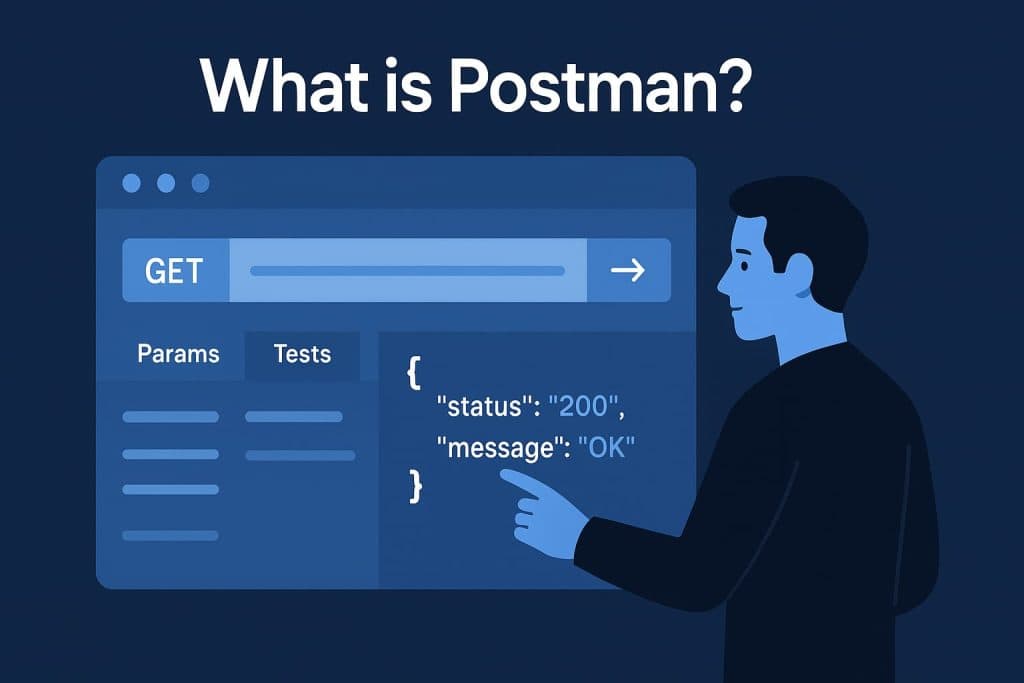
What is Postman?
At its heart, this API testing tool is a workspace where developers can send, receive, and analyze API requests. It serves as a bridge between software and servers, allowing developers to test how applications communicate without needing to write complex lines of code each time.
Imagine being able to send a digital message to a system — “Hey, can you give me the latest weather update?” — and instantly seeing its reply in an organized format. That’s the magic this API platform delivers. It turns confusing backend operations into clear, visual results that make debugging and testing a breeze.
By simplifying communication between applications, this tool has become a staple in the modern developer’s workflow. It’s not just a testing environment — it’s a collaboration hub that helps teams design, document, and automate their APIs efficiently.
Breaking Down Postman
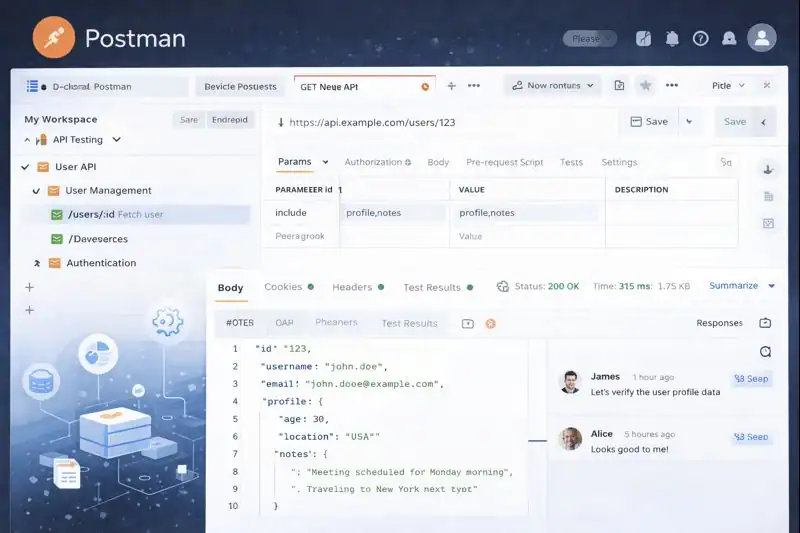
To understand how this API development platform works, picture it as a digital control center for communication. The main interface acts as a dashboard where developers can create requests, adjust parameters, and instantly view results.
Inside this workspace, every interaction is built as a request — a digital note that tells a system what data to send or retrieve. Once sent, the response viewer displays what comes back, allowing developers to see whether everything functions correctly.
This platform also introduces the concept of collections, which are organized groups of requests. These act like neatly labeled folders that teams can share or reuse, ensuring consistent testing across projects.
Beyond that, environments store essential variables, such as URLs and tokens, making it easy to switch between testing and production without editing code. Combined with scripting and automation tools, this API software transforms repetitive manual testing into a seamless, efficient process.
History of Postman
The story of this API development tool began with one developer’s frustration. Tired of manually testing endless API calls, a programmer decided to create something simpler and faster. What started as a browser extension soon evolved into a full-fledged desktop and web application that changed the way developers worked.
As demand grew, the platform added collaboration features, automation capabilities, and cloud syncing. Today, it stands as one of the most recognized tools in the tech industry — a symbol of how necessity drives innovation.
| Year | Milestone | Description |
|---|---|---|
| 2012 | Initial Creation | Developed as a lightweight browser extension for testing APIs. |
| 2014 | Desktop Expansion | Released as a standalone desktop application with enhanced tools. |
| 2016 | Team Collaboration | Introduced shared collections and environments for teamwork. |
| 2018 | Cloud Integration | Enabled syncing and collaboration through cloud-based workspaces. |
| 2020–Present | Global Recognition | Became one of the most widely used API testing solutions worldwide. |
From a small project built to simplify testing, it has evolved into an industry standard — a tool that developers across the globe can’t imagine working without.
Types of Postman
Desktop Application of Postman
The desktop version provides a powerful, high-performance experience. It runs independently from browsers, supports offline testing, and offers advanced debugging options, making it perfect for developers who prefer complete control.
Web-Based Platform
For teams that thrive in the cloud, the web-based version allows real-time collaboration. Multiple users can work on the same project simultaneously, sharing insights and tracking updates without missing a beat.
Enterprise Edition
Large organizations often turn to the enterprise edition for its scalability. It provides enhanced security, version management, advanced analytics, and integrations with popular CI/CD systems — ideal for massive development teams.
Command-Line Interface
For developers who love automation and scripting, the command-line interface lets them run tests directly from terminals. This feature integrates smoothly into automated workflows, making it a favorite for DevOps teams.
Each version is designed with one purpose — to make API design and testing faster, smarter, and more accessible.
How Does Postman Work?
Building the Request
Everything starts by creating a request — defining what data to send and where to send it. This could be as simple as asking a system for user details or as complex as submitting a purchase order.
Viewing the Response
Once the request is sent, the platform instantly shows the server’s reply. The response contains crucial information, such as status codes and data, helping developers confirm whether the interaction succeeded.
Debugging and Refining Postman
If something doesn’t behave as expected, developers can adjust parameters or headers within the interface until the response looks right. It’s an iterative process that encourages experimentation and learning.
Automating Tests for Postman
When requests need to be tested repeatedly — especially during large-scale development — automation steps in. Scripts can verify results automatically, ensuring everything continues to function even after new updates or deployments.
Through this seamless process, the API testing software saves time, reduces human error, and accelerates development cycles.
Pros & Cons of Postman
Every tool has strengths and weaknesses, and this API platform is no exception. Understanding both sides helps teams decide whether it fits their workflow.
| Pros | Cons |
|---|---|
| User-friendly and visually intuitive | Can consume significant memory on older systems |
| Excellent for teamwork and collaboration | Advanced features require paid upgrades |
| Supports automation and continuous integration | Learning curve for complete beginners |
| Extensive documentation and community support | Syncing delays may occur in large teams |
Despite minor limitations, its strengths far outweigh the drawbacks — which is why it remains a cornerstone in modern software development.
Uses of Postman
In Software Development
Developers use this API testing tool to create, manage, and test endpoints efficiently. It ensures that software components communicate correctly, preventing costly bugs before release.
In Quality Assurance
Testing teams rely on the platform to automate repetitive tests, validate API behavior, and maintain stability across updates. It’s like having a quality inspector that never gets tired.
In Education
Educational institutions and coding bootcamps use this API learning tool to teach students about data exchange, HTTP methods, and API structures. Its clear interface makes technical concepts easier to visualize.
In Integration Testing
Companies depend on it to ensure seamless communication between systems like payment gateways, email servers, and databases. The platform helps verify that all parts of a digital ecosystem work in harmony.
In Team Collaboration
For distributed teams, the platform serves as a shared hub. Everyone — from developers to testers — can work together, share collections, and stay synchronized in real-time.
Across industries, this software continues to streamline collaboration and innovation, bridging the gap between human creativity and digital precision.
Resources
- Postman Learning Center: Official Tutorials and Documentation
- RapidAPI Blog: API Testing Guide
- Mozilla Developer Network: HTTP Overview
- FreeCodeCamp: API Basics for Beginners
- Katalon Academy: API Testing Explained
