When it comes to protecting your organization from cyber threats, there’s no shortage of tools to choose from. But among the myriad of options, Microsoft Defender for Endpoint stands out as a robust and comprehensive security solution. Whether you’re a cybersecurity expert or someone looking to improve your knowledge, understanding this can help you stay one step ahead of hackers and data breaches. In this blog post, we’ll explore its features, history, and how it can be a game-changer for businesses of all sizes. Let’s dive in!
What is Microsoft Defender for Endpoint?

Microsoft Defender for Endpoint is a cloud-based security platform designed to help businesses detect, investigate, and respond to advanced cyber threats. It’s more than just antivirus software; it’s a holistic endpoint security solution that integrates seamlessly with the Microsoft ecosystem. Previously known as Windows Defender Advanced Threat Protection (ATP), this tool provides real-time threat intelligence, proactive defense mechanisms, and automated incident response. It’s your digital bodyguard, ensuring that your endpoints—from desktops to mobile devices—are safe from harm.
Microsoft Defender for Endpoint is especially valuable because it helps organizations move from reactive security to proactive defense. Instead of waiting for a breach to happen, security teams can continuously monitor devices, uncover weak points, and respond before issues escalate. This is particularly useful in modern workplaces where employees use multiple devices, connect from different locations, and rely on cloud services every day. In that kind of environment, security tools need to be flexible, fast, and centralized. Defender for Endpoint addresses that need by giving organizations one platform for visibility and response.
Another important aspect is scalability. Small businesses may start with a few protected devices, while larger enterprises may need to secure thousands of endpoints across offices and remote teams. Defender for Endpoint is designed to support both ends of that spectrum. It allows organizations to standardize security practices, enforce policies more consistently, and reduce the gaps that attackers often exploit.
Breaking Down Microsoft Defender for Endpoint
To fully appreciate it, let’s dissect its key components:
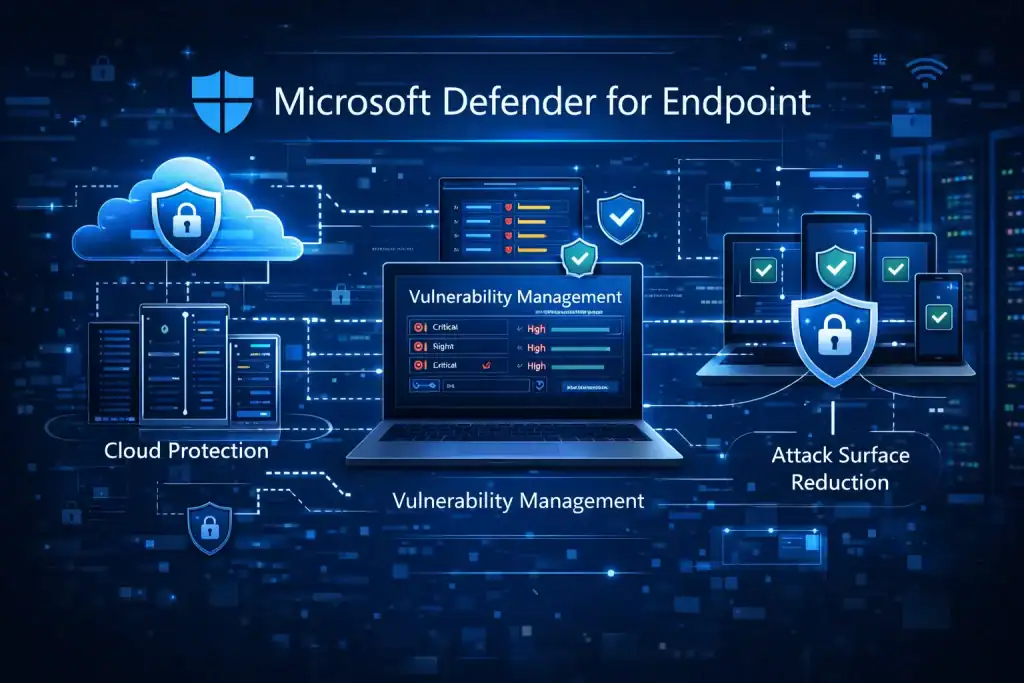
- Threat and Vulnerability Management: This feature provides a continuous assessment of your organization’s threat landscape. By identifying vulnerabilities and providing actionable insights, it allows you to prioritize and remediate risks effectively.
- Endpoint Detection and Response (EDR): EDR is the heart of Defender for Endpoint. It’s like having a 24/7 watchtower monitoring your network for suspicious activity. For example, if a hacker attempts to exploit a vulnerability, EDR will detect and block the attack while alerting your security team.
- Automated Investigation and Remediation: With automation at its core, Defender for Endpoint can investigate alerts and take corrective action without human intervention. Imagine a phishing attempt being neutralized before it even reaches an employee’s inbox—that’s the power of automation.
- Attack Surface Reduction: This feature minimizes your organization’s exposure to threats by enforcing policies such as blocking untrusted apps or disabling vulnerable services. It’s like having a digital bouncer at your network’s door.
- Threat Intelligence: Leveraging Microsoft’s vast network of data, this feature provides insights into emerging threats like deepfakes or zero-day exploits. It’s like having a crystal ball for cybersecurity.
These features work in harmony, creating a fortress around your organization’s digital assets.
One of the biggest strengths of Microsoft Defender for Endpoint is how its features complement one another. Threat and Vulnerability Management identifies weaknesses, while Attack Surface Reduction helps limit exposure before attackers can take advantage of those weaknesses. EDR then adds another layer by monitoring suspicious activity in real time. When combined with automated investigation and remediation, the platform does not simply alert teams to danger—it actively helps contain and resolve incidents.
This layered approach is important because modern cyber threats rarely rely on a single tactic. Attackers may use phishing emails, stolen credentials, malicious scripts, or unpatched software to gain entry. A standalone antivirus tool may catch only part of that activity, but Defender for Endpoint is designed to connect the dots. That broader visibility can improve decision-making and help security teams focus on the threats that matter most.
History of Microsoft Defender for Endpoint
Microsoft Defender for Endpoint has evolved significantly over the years. Initially launched as Windows Defender in 2006, it was a basic antivirus program included with Windows XP. Over time, Microsoft recognized the growing complexity of cyber threats and transformed the tool into a comprehensive endpoint security solution. Here’s a quick timeline of its evolution:
| Year | Milestone |
|---|---|
| 2006 | Launch of Windows Defender as antivirus |
| 2016 | Introduction of Windows Defender ATP |
| 2020 | Rebranded as Microsoft Defender for Endpoint |
| 2021 | Expansion to macOS, Linux, iOS, and Android |
| 2022 | Enhanced features like vulnerability scanning |
Today, Microsoft Defender for Endpoint is a global leader in endpoint security, trusted by enterprises worldwide.
Types of Microsoft Defender for Endpoint
Microsoft offers different plans to cater to varying business needs. Let’s break them down:
Plan 1
- Focuses on essential endpoint security.
- Features include attack surface reduction and basic threat protection.
Plan 2
- Offers advanced features like EDR, automated investigation, and threat intelligence.
- Ideal for large enterprises requiring robust protection.
| Plan | Key Features |
|---|---|
| Plan 1 | Basic security, attack surface reduction |
| Plan 2 | EDR, automated response, advanced threat analytics |
How Does Microsoft Defender for Endpoint Work?
At its core, Microsoft Defender for Endpoint operates through a combination of machine learning, behavioral analysis, and cloud integration. When a potential threat is detected, it’s analyzed using Microsoft’s threat intelligence network. For example, if malware disguised as a Windows Update tries to infiltrate your system, Defender’s EDR will analyze its behavior and block it before it can cause harm. The platform’s automation ensures swift responses, reducing the time it takes to mitigate risks.
The platform also improves response speed by collecting and correlating signals from multiple endpoints. Instead of analyzing devices in isolation, it looks for patterns across the environment. For example, if suspicious behavior appears on several machines at the same time, security teams can quickly identify whether they are dealing with a coordinated attack. That context is critical because it helps teams understand the scope of an incident and act with greater confidence.
In addition, the cloud-based nature of the solution allows updates and intelligence to evolve as the threat landscape changes. Cybercriminals constantly develop new techniques, so static protection is no longer enough. Defender for Endpoint uses Microsoft’s broader security intelligence to adapt more quickly, which helps organizations stay better prepared against both known and emerging threats.
Pros & Cons of Microsoft Defender for Endpoint
While Defender for Endpoint is a powerful tool, it’s important to weigh its strengths and limitations:
| Pros | Cons |
|---|---|
| Seamless integration with Microsoft 365 | Higher cost for advanced plans |
| Comprehensive threat protection | Steeper learning curve for beginners |
| Automation reduces manual workload | Limited offline functionality |
Uses of Microsoft Defender for Endpoint
Corporate Security
Large organizations use Defender for Endpoint to protect sensitive data and ensure compliance with regulations. For example, a financial institution might rely on it to prevent hacking attempts on customer accounts.
Small and Medium Businesses
SMBs benefit from the platform’s automated features, which simplify threat management. Even without a dedicated IT team, SMBs can stay secure.
Remote Workforces
With the rise of remote work, It ensures that employees’ devices remain secure no matter where they’re located. Express VPN integration adds another layer of security for remote workers accessing company data.
Educational Institutions
Schools and universities use the tool to safeguard student and staff data against cyber threats.
Resources
- Microsoft Defender for Endpoint. Microsoft Learn
- Microsoft Defender for Endpoint Architecture, Features, and Plans. BlueVoyant
- Microsoft Defender for Endpoint Guide. O’Reilly
- Windows Defender Advanced Threat Protection (ATP). TechTarget
- Defender for Endpoint Plans. Microsoft Plans