
In today’s rapidly evolving technology trends, software delivery speed is everything. Businesses that can build, test, and deploy applications faster hold the competitive edge. But maintaining such velocity requires more than great code — it demands automation and reliability. That’s where a legendary automation server steps in, a tool that has shaped modern DevOps practices for over a decade.
In this guide, we’ll dive deep into what is Jenkins, exploring its history, structure, pros, cons, and how it became one of the most trusted platforms for continuous integration and continuous delivery (CI/CD). Whether you’re a developer, DevOps engineer, or tech enthusiast, this article will help you understand how this open-source automation platform continues to redefine modern software pipelines.
What is Jenkins?
At its core, Jenkins is an open-source automation server designed to simplify the process of building, testing, and deploying software. It acts as the backbone of CI/CD pipelines, ensuring that every code change moves seamlessly from development to production.
Imagine having a personal digital assistant for your software projects — one that compiles code, runs tests, checks for errors, and deploys updates automatically. That’s what this automation tool does. It eliminates repetitive manual work, ensuring that developers can focus on creativity and problem-solving rather than maintenance.
Over the years, this CI/CD system has become a favorite in DevOps environments thanks to its flexibility, extensive plugin ecosystem, and open-source nature. It’s like a conductor leading an orchestra, making sure every instrument (or tool) plays its part perfectly in sync.
Breaking Down Jenkins
The secret to this automation platform’s success lies in its architecture. It operates through a master-agent structure, allowing tasks to be distributed efficiently across different systems.
The master node handles scheduling and managing jobs, while agent nodes execute them. This design enables scalability — projects can grow without slowing down the workflow.
Another defining feature is its plugin-based framework. The platform supports thousands of plugins that integrate with tools like Git, Docker, Kubernetes, and Maven, giving teams the power to customize their pipelines to fit any development environment.
From running a simple build to managing complex multi-environment deployments, this continuous integration tool adapts effortlessly. That versatility is what keeps it relevant even as technology evolves.
History of Jenkins
The history of this DevOps automation software is as inspiring as its functionality. Originally developed by Kohsuke Kawaguchi in 2004 under the name Hudson, it was created to make developers’ lives easier by automating repetitive build tasks.
When Oracle acquired Sun Microsystems in 2010, disagreements about the project’s direction led the open-source community to fork the project — and thus, Jenkins was born in 2011.
Since then, it has grown exponentially, supported by a vibrant global community of contributors. What began as a humble side project is now a foundational pillar in the DevOps ecosystem.
| Year | Milestone | Description |
|---|---|---|
| 2004 | Initial Release | Launched as Hudson, an automation tool for Java builds. |
| 2011 | Jenkins Established | Forked from Hudson, marking the start of community-driven growth. |
| 2014 | Plugin Boom | Plugin library surpasses 1,000 integrations. |
| 2018 | Jenkins X | Introduced cloud-native CI/CD solution for Kubernetes. |
| 2020–Present | DevOps Leader | Continues to evolve with pipeline-as-code and containerized support. |
Today, this automation platform remains the go-to CI/CD engine for companies of all sizes, from startups to global enterprises.
Types of Jenkins
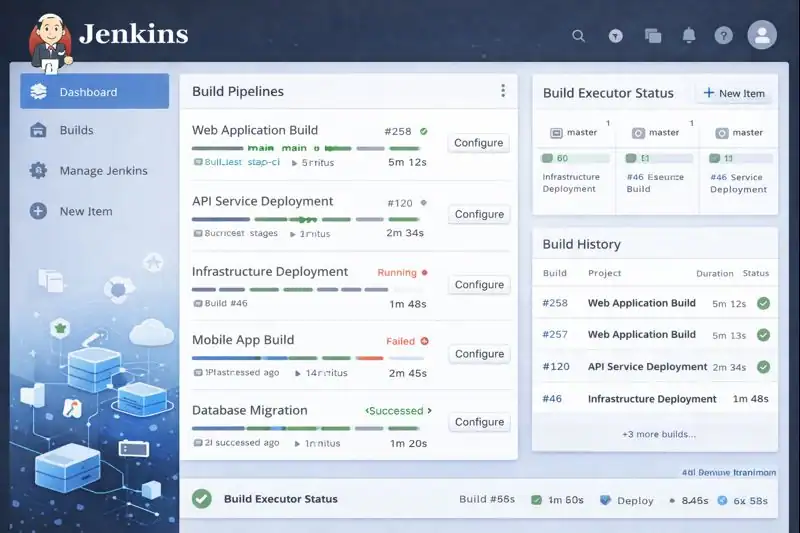
Self-Hosted Edition
The self-managed version allows organizations to run the system on their own infrastructure. It provides maximum flexibility and control over configurations, plugins, and integrations.
Cloud-Based Edition
Cloud implementations let teams access Jenkins via hosted solutions, often offered through third-party providers. This setup minimizes maintenance and ensures easy scalability for distributed teams.
Enterprise Edition
Enterprises use this CI/CD system with added security layers, compliance tools, and analytics. It integrates with larger ecosystems and supports advanced automation pipelines.
Jenkins X
This modern iteration focuses on Kubernetes-native automation. It streamlines CI/CD for cloud applications, enabling teams to deploy containers and microservices faster and more efficiently.
Each version caters to different use cases, but they all share one core philosophy — making automation accessible, efficient, and adaptable.
How Does Jenkins Work?
The way this automation server works can be visualized as a simple pipeline — a series of stages through which code flows until it’s production-ready.
Building the Code
When developers commit code to a repository like Git, the system automatically detects the change and begins the build process. It compiles the code and prepares it for testing.
Testing and Verification
The continuous integration system runs unit, integration, and regression tests. It ensures that new code doesn’t break existing functionality.
Deployment
After passing all tests, the system automatically deploys the application to a staging or production environment. This reduces human intervention and speeds up releases.
Monitoring and Feedback
Finally, the platform provides detailed logs, performance reports, and notifications. This transparency helps teams refine their workflows and maintain high-quality standards.
Through automation, this DevOps pipeline turns complex, time-consuming processes into effortless, repeatable tasks — ensuring every release is fast, reliable, and consistent.
Pros & Cons
| Pros | Cons |
|---|---|
| Completely open-source and free | Requires initial setup and maintenance |
| Highly extensible via plugins | Can be resource-heavy on large projects |
| Strong community support | Interface feels outdated compared to newer tools |
| Integrates with almost any DevOps tool | Complex plugin dependencies can cause issues |
| Automates entire CI/CD workflow | Learning curve for beginners |
Despite minor challenges, its flexibility, stability, and open-source nature make it one of the most trusted automation solutions worldwide.
Uses of Jenkins
In Software Development
This automation engine accelerates the software lifecycle. Developers use it to compile code, run tests, and integrate updates seamlessly, ensuring stable and fast delivery.
In Continuous Integration (CI)
The platform’s primary use lies in CI pipelines. Every commit triggers a series of automated tests, providing instant feedback and improving code quality.
In Continuous Delivery (CD)
Beyond integration, the tool supports full delivery automation, handling staging, deployment, and rollback processes with minimal human input.
In Enterprise DevOps
Large organizations use this integration platform to orchestrate multiple workflows across teams and technologies, maintaining consistency at scale.
In Cloud-Native Environments
With Jenkins X and Kubernetes integration, teams can automate deployments in containerized environments — a must for modern microservice architectures.
Across all industries, this platform serves as the backbone of agile, automated development.
Resources
- Jenkins.io: Official Documentation
- Atlassian Blog: Jenkins CI/CD Explained
- Red Hat Blog: Integrating Jenkins with OpenShift
- DigitalOcean: How to Set Up Jenkins
- Docker Blog: Automating Builds with Jenkins
