
In the modern world of technology trends, the way software is built, tested, and deployed has undergone a massive evolution. Gone are the days when applications ran inconsistently across different machines due to dependency issues. Today, developers and companies rely on container technology to ensure software works seamlessly anywhere — from a laptop to the cloud.
Leading this revolution is an open-source container platform that changed the face of modern DevOps: Docker. It made software deployment faster, easier, and more predictable by allowing applications to run inside lightweight, portable containers.
This article explores what is Docker, its history, structure, strengths, and how it continues to transform the development world through efficiency and automation.
What is Docker?
This containerization platform allows developers to package applications with all their dependencies into a single, isolated unit known as a container. These containers run consistently across various environments, ensuring predictable performance regardless of the system they’re on.
Imagine being able to ship your application — along with its tools, libraries, and settings — anywhere without worrying about compatibility issues. That’s the power of this virtual environment system. It enables developers to create once and deploy anywhere.
By encapsulating everything an application needs inside a container, the platform ensures that each version behaves exactly the same way, whether in testing, staging, or production environments.
Breaking Down Docker
This container-based ecosystem is built on several key components that work in harmony to streamline software development and deployment.
At its core is the engine, responsible for building and managing containers. This engine communicates between the client and host machine, ensuring containers are created, started, and destroyed efficiently.
Then there are images — templates that define what each container includes, such as code, runtime, and libraries. From a single image, multiple containers can be launched simultaneously, each operating independently.
A crucial piece of the puzzle is Docker Hub, the platform’s public registry. It acts as a marketplace for developers to share, download, and reuse pre-configured images, significantly reducing setup time.
Finally, Compose is used to define multi-container applications. It helps connect services like web servers, databases, and caching layers using a single configuration file.
Together, these components create a unified system that bridges development and operations, enabling smooth, automated workflows.
History of Docker
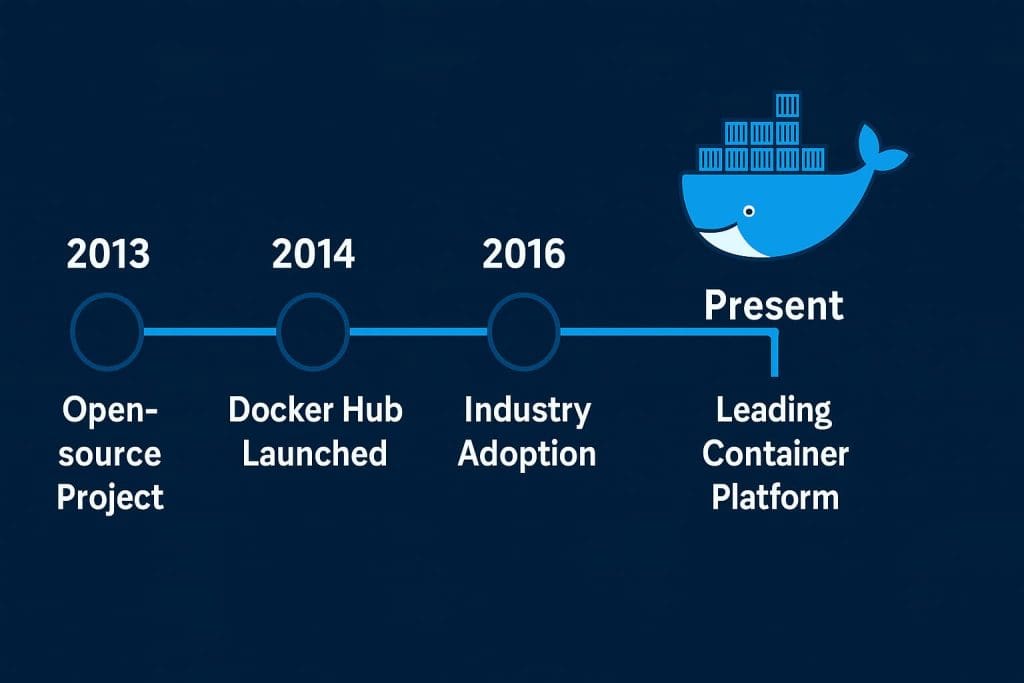
The origins of this container solution trace back to 2013 when Solomon Hykes introduced it as part of a project at dotCloud, a Platform-as-a-Service company. The goal was simple: make deployment easier and more consistent.
What started as an internal project quickly gained global attention. Developers were drawn to the simplicity and flexibility of running applications in isolated environments without the overhead of full virtual machines.
By open-sourcing the project, the community helped refine and expand it, making it one of the fastest-growing software technologies ever.
| Year | Milestone | Description |
|---|---|---|
| 2013 | Initial Launch | Introduced as an open-source container platform. |
| 2014 | Docker Hub Introduced | Provided a public registry for container images. |
| 2016 | Industry Adoption | Became the standard for containerization across DevOps. |
| 2018 | Enterprise Integration | Widely adopted by cloud providers and CI/CD systems. |
| 2020–Present | Cloud-Native Era | Deep integration with Kubernetes and hybrid environments. |
From humble beginnings to becoming the backbone of modern development workflows, this container platform continues to shape how software moves from idea to production.
Types of Docker
Community Edition
Aimed at individuals and small teams, this free version includes all the essentials for learning and developing with containers. It’s the go-to choice for developers experimenting with projects locally.
Desktop Application
For those using Windows or macOS, this version simplifies container management with an easy-to-use graphical interface. It integrates tightly with other developer tools for seamless workflows.
Enterprise Platform
Designed for larger organizations, this version focuses on security, scalability, and centralized management. It enables teams to run containerized workloads confidently at scale.
Cloud Integration
Many cloud providers now offer built-in support for this deployment technology, allowing developers to run and orchestrate containers directly within their infrastructure.
Compose Utility
Ideal for defining multi-container setups, Compose helps developers manage interconnected services efficiently. It’s especially useful for microservice architectures.
Each variation serves a specific purpose, but all revolve around one shared vision: to simplify how software is built, deployed, and scaled.
How Does Docker Work?
Behind the scenes, this container engine functions through a client-server model. The Docker client communicates with the Docker daemon, which builds, runs, and manages containers.
When a developer creates an image, the system packages the application and its environment into a self-contained unit. These images are stored locally or pushed to repositories like Docker Hub.
Once the image is ready, containers can be launched instantly from it, running isolated but efficiently. The isolation ensures one container doesn’t interfere with another, even if they’re running on the same machine.
Container orchestration comes into play when scaling operations. Tools like Docker Swarm or Kubernetes help manage clusters of containers, balancing loads and ensuring reliability.
Ultimately, this automation framework turns complex deployment pipelines into repeatable, predictable processes — saving both time and resources for developers and operations teams.
Pros & Cons
| Pros | Cons |
|---|---|
| Lightweight and fast compared to virtual machines | Requires learning new commands and workflows |
| Portable across any environment | Performance overhead in some setups |
| Enables consistent deployments | Can be complex in large-scale systems |
| Integrates with major cloud providers | Security depends on proper configuration |
| Strong community and open-source support | Networking between containers may require fine-tuning |
This container ecosystem offers incredible flexibility and performance advantages, but like any tool, it requires understanding and maintenance to unlock its full potential.
Uses of Docker
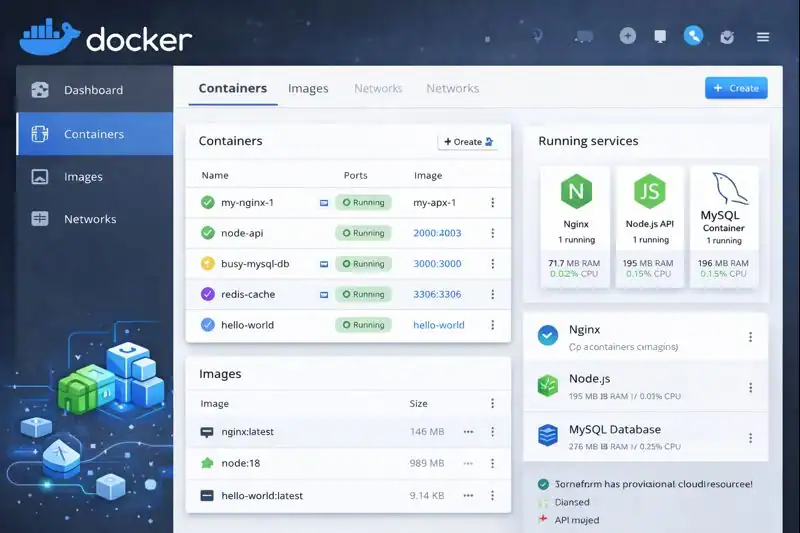
In Software Development
This development platform streamlines the coding process by letting teams build and test applications in consistent environments. It ensures every developer works on the same setup, reducing conflicts and errors.
In Continuous Integration and Delivery
By integrating with CI/CD systems, this containerization tool automates builds, tests, and deployments. Every code push can instantly trigger a full workflow, improving release speed.
In Cloud Infrastructure
Cloud providers like AWS, Google Cloud, and Azure support Docker containers natively. This makes it easy to deploy scalable, resilient applications across distributed systems.
In Microservices Architecture
Modern applications are often broken into microservices — small, independent components. Docker containers allow each service to run separately while communicating efficiently with others.
In Education and Research
Because containers can replicate identical environments, educators and researchers use Docker for training, simulation, and data science experiments, ensuring reproducible results.
Across industries, this virtual environment platform has become synonymous with flexibility, consistency, and speed.
Resources
- Docker Docs: Official Documentation
- Kubernetes Blog: Using Docker Containers in Kubernetes
- Red Hat Blog: Containerization Explained
- DigitalOcean: Intro to Docker
- FreeCodeCamp: Docker for Beginners
