
Let me tell you a story. A few years ago, I was developing a travel blog app with a friend. We wanted users to store photos, reviews, and location data. I remember staring at my screen, asking: “Where the heck do we keep all this info?” That’s when I had my “aha!” moment: the solution was a database.
In the world of software and applications, a data repository is more than just a storage unit—it’s the heart and brain of your application. Every click, every user input, every product you see online is driven by some kind of structured digital archive. Whether you’re building an e-commerce empire or managing a smart thermostat, understanding this essential tech component is a game-changer.
What is a Database?
A database is an organized collection of data that allows for easy access, management, and updating. Think of it like a digital filing cabinet—only way smarter and infinitely scalable.
Some refer to it as:
- A digital data vault
- A structured storage system
- A cloud-based record system
It doesn’t just store information; it organizes, processes, and makes that data usable in real time. Imagine walking into a library and being able to find exactly what you need in seconds. That’s what a well-designed data store does for your application.
Breaking Down the Core

Let’s peek under the hood.
Most data storage systems consist of:
- Tables: Where the actual data lives. Think rows and columns.
- Fields: The details or categories, like name, email, product ID.
- Queries: Instructions to fetch specific data. Like asking, “Give me all users who signed up this month.”
- Indexes: Help speed up search and retrieval.
- Relationships: How different pieces of information are connected. Like linking a customer to their orders.
When I built that travel blog, we used a relational setup. Each city had a list of attractions, and each attraction had a review. All linked. All smooth. Magic? No—just a great data architecture.
History of the Database
This technological marvel didn’t appear overnight. Let’s take a quick look at how it evolved.
| Year | Milestone |
|---|---|
| 1960s | Introduction of flat-file storage systems (slow and inefficient) |
| 1970 | Edgar Codd proposed the relational model at IBM |
| 1980s | SQL became the go-to language for querying data |
| 2000s | Rise of NoSQL options for unstructured content |
| 2010s | Cloud-based and distributed solutions became popular |
The journey from punch cards to cloud-native storage showcases the power of innovation in advanced technology.
Types of Database Systems
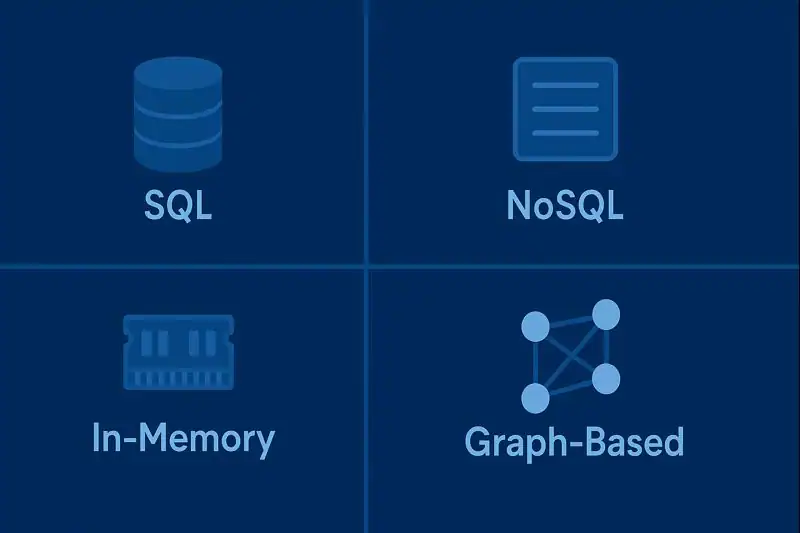
Choosing the right kind of data storage is a bit like choosing the right tool for a job. You wouldn’t use a chainsaw to slice bread, right? Similarly, not every application benefits from the same kind of storage structure. Some need rigid organization, others crave flexibility, and some demand lightning speed. Over the years, developers and engineers have created specialized systems to meet a wide variety of use cases—each with its own strengths, weaknesses, and ideal scenarios. Let’s explore them.
Relational Systems (SQL)
This is the OG. Uses tables with defined relationships. Perfect for financial apps, inventory management, and traditional software.
Example: PostgreSQL or MySQL.
NoSQL Systems
Flexible and scalable. Stores unstructured or semi-structured data. Ideal for apps dealing with social content, IoT devices, or rapid data growth.
Example: MongoDB, Firebase.
In-Memory Storage
Super fast. Keeps data in RAM for lightning-quick retrieval. Great for gaming, real-time bidding, and stock trading.
Example: Redis.
Graph-Based Solutions
Focuses on relationships between data points. Excellent for social networks and recommendation engines.
Example: Neo4j.
Time-Series Stores
Tailored for timestamped entries. Think logs, metrics, or sensor data.
Example: InfluxDB.
How Does It Work?
Here’s a simple scenario: You open an app and type your username. What happens?
- Your app sends a request: “Is this user valid?”
- The system searches through its records.
- It finds your data row.
- It sends a response: “Yes, let them in!”
Behind the scenes, queries are executed, indexes searched, and relationships verified—all in milliseconds. In some new inventions like AI-powered assistants, data processing is seamless and almost invisible to the end user.
Data input, storage, retrieval, and deletion all rely on these systems to operate smoothly.
Pros & Cons
When it comes to choosing a storage solution for your application, it’s rarely black and white. The power of a robust digital repository lies in its ability to handle massive amounts of data seamlessly—but that power comes with its own set of considerations. Whether you’re a solo developer or part of a large enterprise team, understanding both the advantages and limitations can help you make smarter design decisions.
I remember building an online event platform where speed was crucial. Queries needed to return in milliseconds, especially during high-traffic ticket drops. A well-optimized storage layer made the platform sing. But the initial setup? It was like solving a thousand-piece puzzle. That’s why it’s important to look beyond the surface and weigh the full scope of the decision.
| Pros | Cons |
| Efficient data storage | Can be complex to design |
| Easy to retrieve info | May require maintenance |
| Ensures consistency | Scaling can be expensive |
| Enhances app performance | Risk of data breaches if unsecured |
While a robust system offers unmatched control and power, it also requires thoughtful planning and resource allocation.
Uses of Database Technology
These systems power almost everything we interact with digitally. Here’s how different industries use them:
Healthcare
Hospitals use secure storage to track patient records, medication schedules, and treatment history. It ensures timely care and avoids errors.
E-Commerce
Online shops store customer profiles, product details, and transaction records. Dynamic inventory management? All thanks to structured storage.
Finance
Banks handle millions of transactions daily. Without optimized record systems, operations would crawl.
Social Media
Every like, comment, and message? Stored and retrieved from powerful data repositories. They even predict your next scroll.
Smart Devices & IoT
Your smart fridge knows what’s inside. Your thermostat learns your habits. These actions are powered by continuous data flow into storage systems, analyzed to deliver intelligent behavior.
Resources
- IBM – What is a Database?
- Oracle – Introduction to Oracle Database
- Microsoft – Introduction to Transact-SQL – Training
- MongoDB – What Is NoSQL? NoSQL Databases Explained
- AWS – Choosing an AWS database service
