
If you’ve ever dabbled in mobile or web development, chances are you’ve come across the term “What is Firebase”. But what exactly is it, and why is it creating such buzz in the development world? In a tech era dominated by futuristic technology, understanding powerful backend tools like this Google-built platform is a game-changer. It’s not just another tool; it’s a whole ecosystem crafted to help developers build, grow, and maintain apps more efficiently.
Let me take you on a journey that starts with confusion and ends with clarity. I remember the first time I stumbled upon this platform while trying to build a real-time chat app. The documentation was clean, the setup quick, and the results? Mind-blowing. It felt like discovering the Swiss Army knife of app development. I didn’t have to worry about setting up servers, maintaining infrastructure, or debugging complex backend code—this tool handled it all.
What is Firebase?
This is a development platform offered by Google that helps developers build and improve web and mobile applications without managing the complexities of traditional backend services. Think of it as your invisible team member handling the server, the database, the analytics, and even user authentication.
Other ways people refer to this powerful tool include: Google’s mobile platform, backend-as-a-service (BaaS), or simply Google app toolkit.
It saves time, reduces coding headaches, and allows developers to focus more on building features and less on infrastructure.
Breaking Down the Firebase
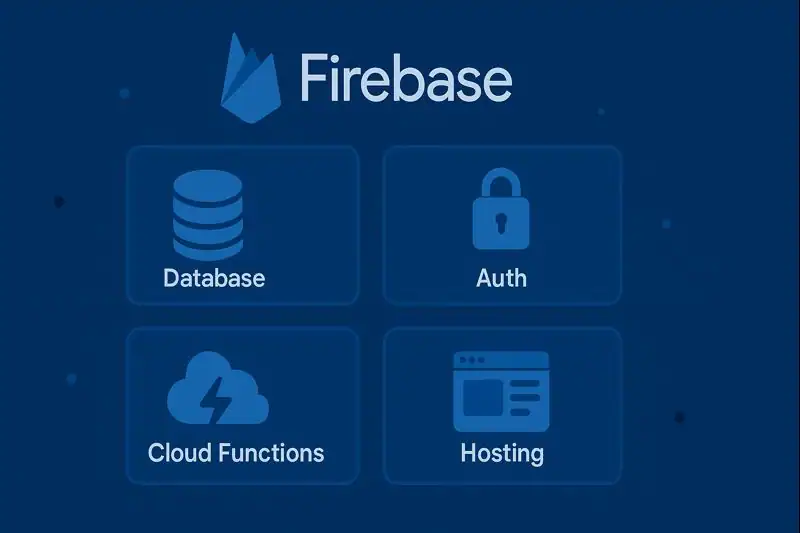
Let’s unpack this cloud-powered marvel.
At its core, the platform offers:
- Realtime Database & Firestore: Think of a cloud-based spreadsheet that updates instantly for every user.
- Authentication: Secure, easy-to-use user sign-in using email, phone, or social accounts.
- Cloud Functions: Write backend code that runs automatically when triggered.
- Hosting Tools: Serve your web app fast and securely.
- Cloud Messaging: Push notifications that keep users engaged.
- Analytics: Monitor app performance and user behavior.
For example, when I built an e-commerce prototype in a hackathon, I used Auth for sign-in, Firestore for storing products, and Hosting for deploying the site. No backend server, no worries!
History of Firebase
This innovation wasn’t always the Google-powered platform we know today. Here’s a quick timeline to see how it evolved:
| Year | Milestone |
|---|---|
| 2011 | Founded by James Tamplin and Andrew Lee as a realtime backend for apps. |
| 2014 | Acquired by Google, integrating it with its cloud and mobile strategy. |
| 2016 | Became the default mobile platform for Google developers, merging services like Cloud Messaging. |
| 2020s | Continued innovation, adding support for ML, analytics, and seamless integrations. |
From a humble backend service to a full-suite app development platform, it has grown into a foundational tool in advanced technology.
Types of Firebase Services
This ecosystem isn’t a one-trick pony. It offers a range of services across three key domains:
App Development Services
- Cloud Firestore: NoSQL database that stores and syncs data in real-time.
- Auth System: Secure and simple sign-in system.
- Web Hosting: Fast content delivery for web apps.
These tools reduce the overhead of setting up a backend, making it ideal for agile teams and solo developers.
Quality Assurance Tools
- Crashlytics: Real-time crash reporting to identify and fix bugs.
- Performance Monitoring: Get insights into how your app performs on real devices.
I once used Crashlytics to fix a persistent bug that crashed my app on low-end Android phones. The speed at which I could identify and patch the issue was a testament to the platform’s utility.
Growth-Focused Features
- Analytics Dashboard: Understand user behavior with powerful data insights.
- Cloud Messaging: Deliver notifications at scale.
- A/B Testing Suite: Test new features or experiences to optimize results.
Example: A fitness app might use the platform’s Auth for user login, Firestore for storing workout data, and Crashlytics to catch bugs users face on iot devices.
How Does the Firebase Work?
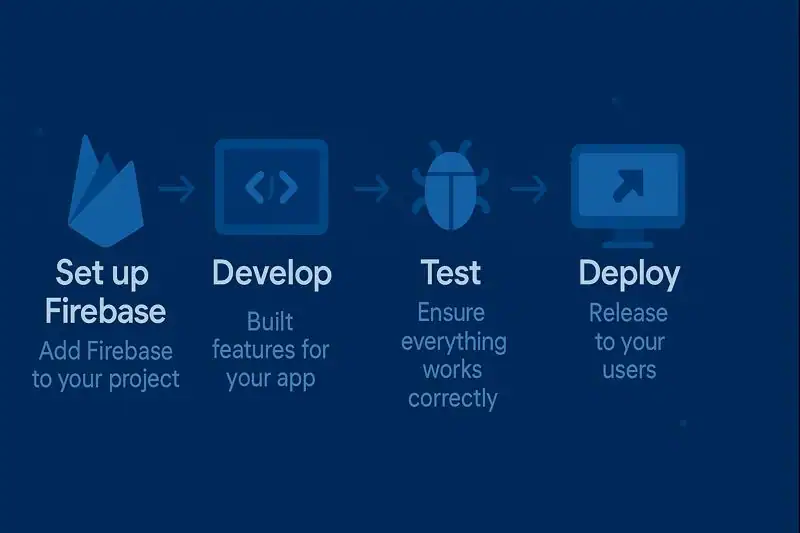
Let’s walk through a simplified step-by-step process:
- Create a Project: Sign in to the Console and create a new project.
- Integrate SDK: Add relevant SDKs to your web, Android, or iOS app.
- Choose Your Tools: Decide if you need a database, auth, hosting, etc.
- Write Code: Use intuitive APIs to interact with your chosen services.
- Deploy: Launch your app using the Hosting option or deploy backend functions.
- Monitor & Grow: Use analytics, messaging, and performance tools to scale and refine your app.
This workflow eliminates much of the grunt work usually required with new inventions in backend development.
Pros & Cons
Like all powerful tools, this backend platform comes with its unique set of strengths and limitations. It’s widely praised for its ease of use and real-time capabilities, but it’s important to recognize where it may not be the best fit. Developers, especially those scaling their apps to serve millions, often weigh the benefits against potential challenges like pricing and flexibility.
Before diving in, consider your app’s complexity, expected growth, and the need for customization. The platform offers a lot out-of-the-box, but that also means surrendering some control to predefined systems. Here’s a deeper look at what you gain—and what you might have to compromise:
| Pros | Cons |
| Easy to set up | Limited querying in Firestore |
| Real-time data syncing | Pricing can get expensive at scale |
| Secure and scalable | Vendor lock-in with Google |
| Integrated with Google Cloud | Some services may lack customization |
Uses of Firebase
The versatility of this toolkit is what makes it a favorite among developers.
Startups and MVPs
Quick to set up, low initial cost, and high scalability makes it perfect for new ideas. Think of a food delivery startup needing user auth, real-time orders, and analytics. This cloud service does it all.
IoT and Smart Devices
Its real-time capabilities are ideal for iot devices. For instance, a smart thermostat can push data instantly to the app, and this solution ensures it stays in sync.
E-commerce Platforms
Handle user sign-in, push notifications for promotions, and real-time inventory updates using its suite of tools.
Educational Apps
From online quizzes to virtual classrooms, the platform supports features like real-time updates and multi-user collaboration.
Games
Mobile games thrive on real-time features. This platform provides cloud saves, real-time multiplayer updates, and crash reporting.
With innovation driving the need for flexible solutions, this solution stands tall as an all-in-one backend for developers.
Resources
- Firebase – Get Started with Firebase.
- Google Developers – Firebase Blog.
- Medium – Should you use Firebase for your app or website?
- Stack Overflow – Newest ‘firebase’ Questions
- Github – GitHub Topics
